
Luxel
A wicked fast ray-marched voxel engine for large scale “volumetric” open game worlds that you can explore, dig through and build on
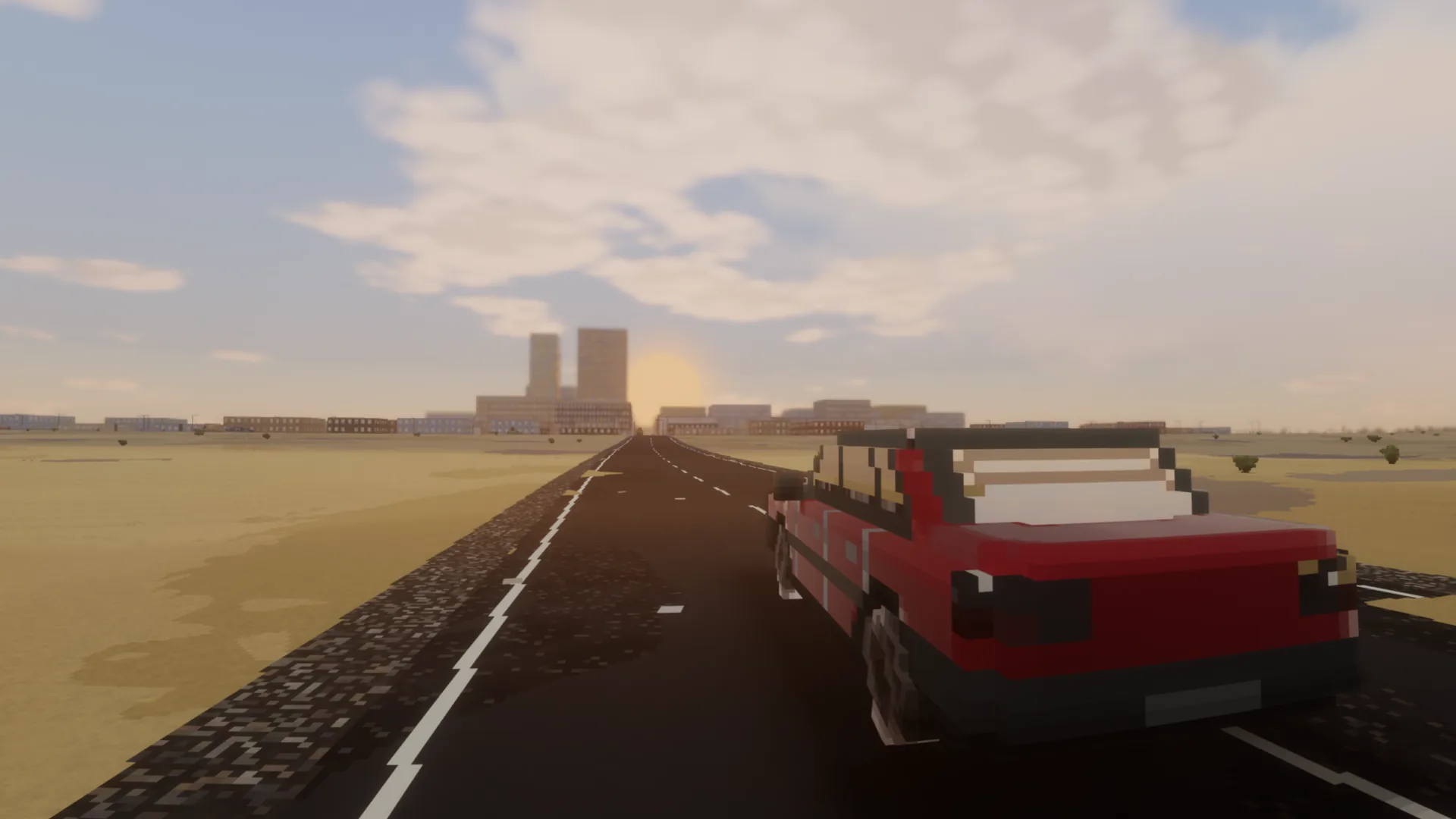
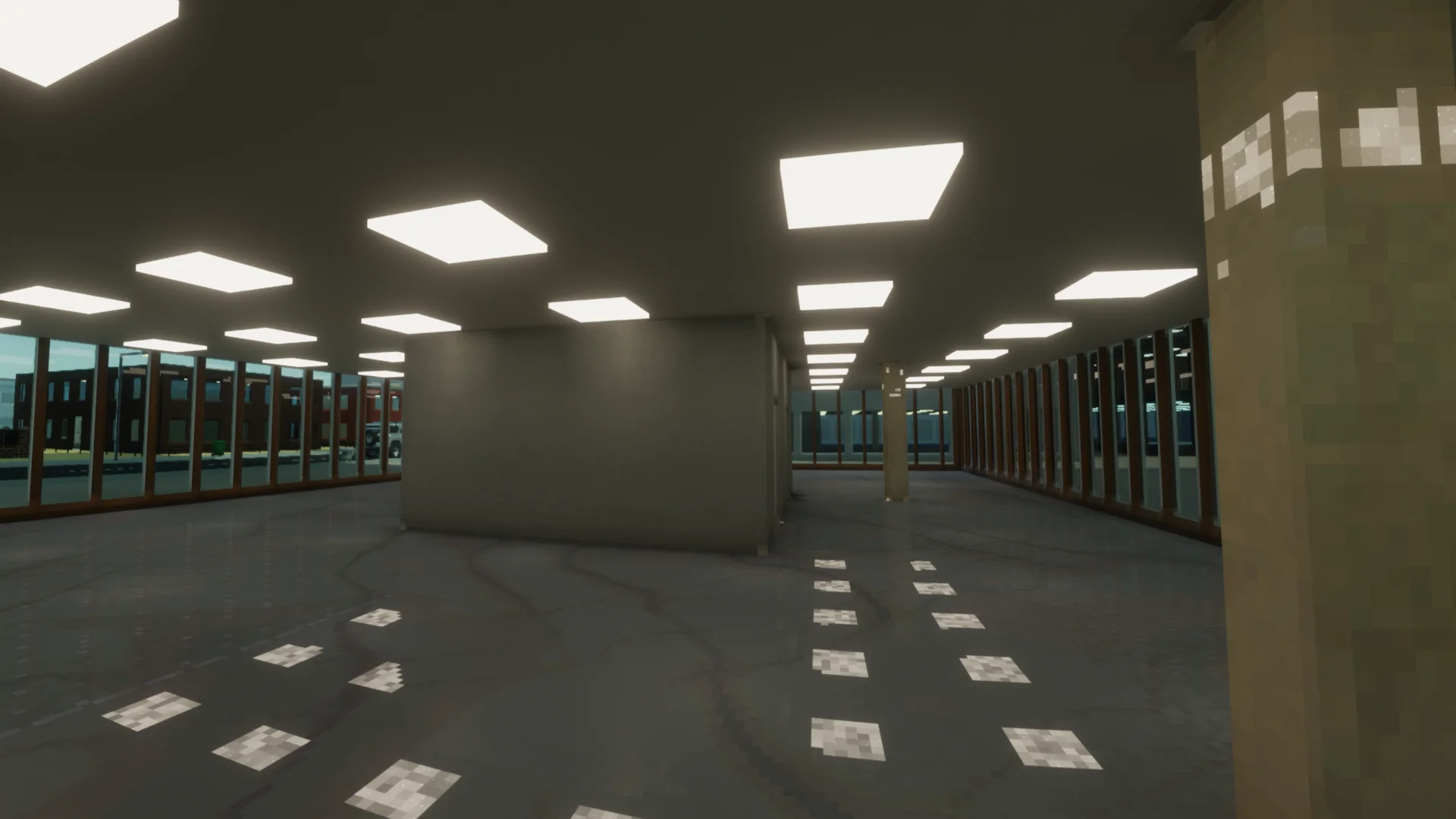
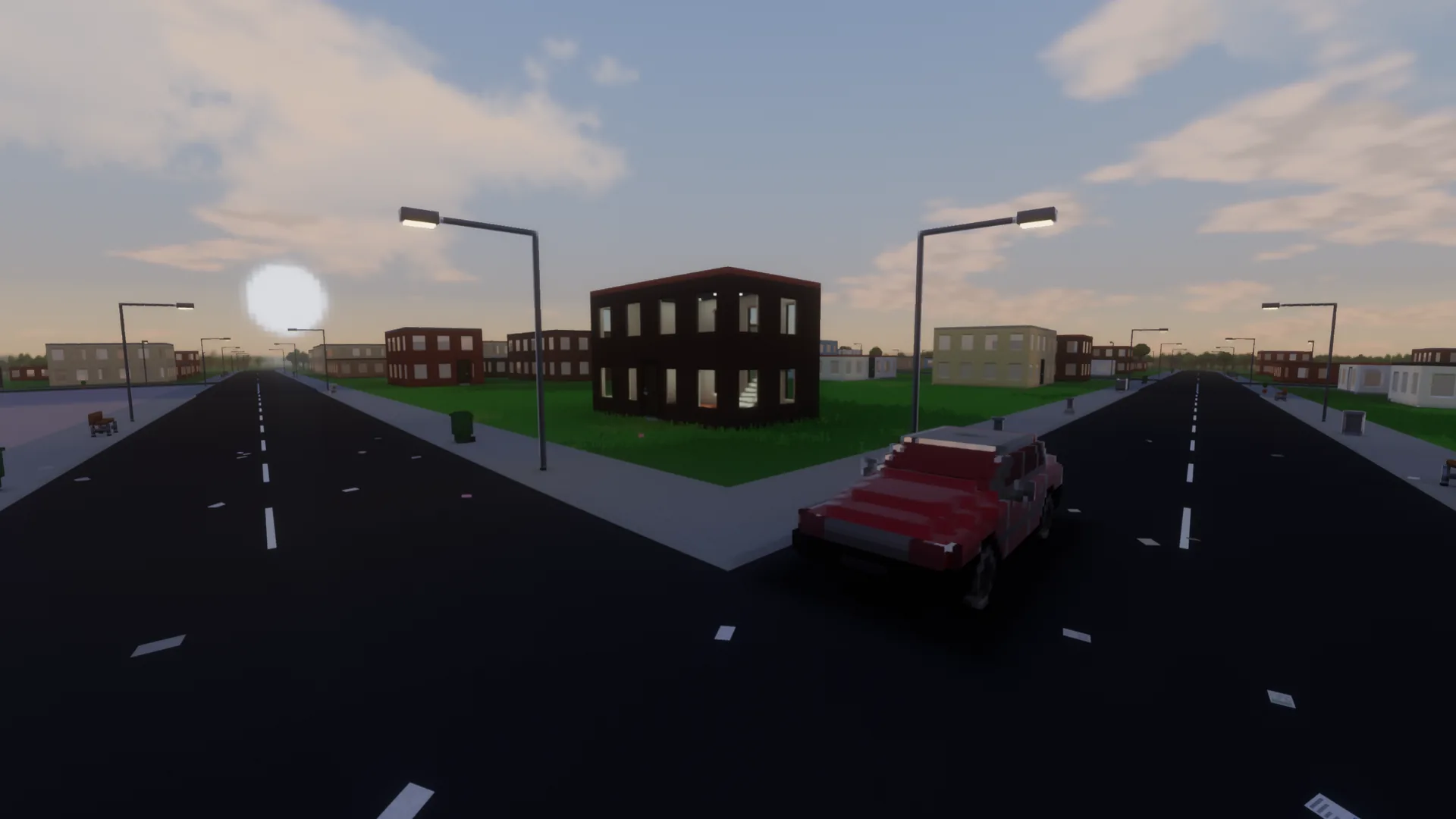
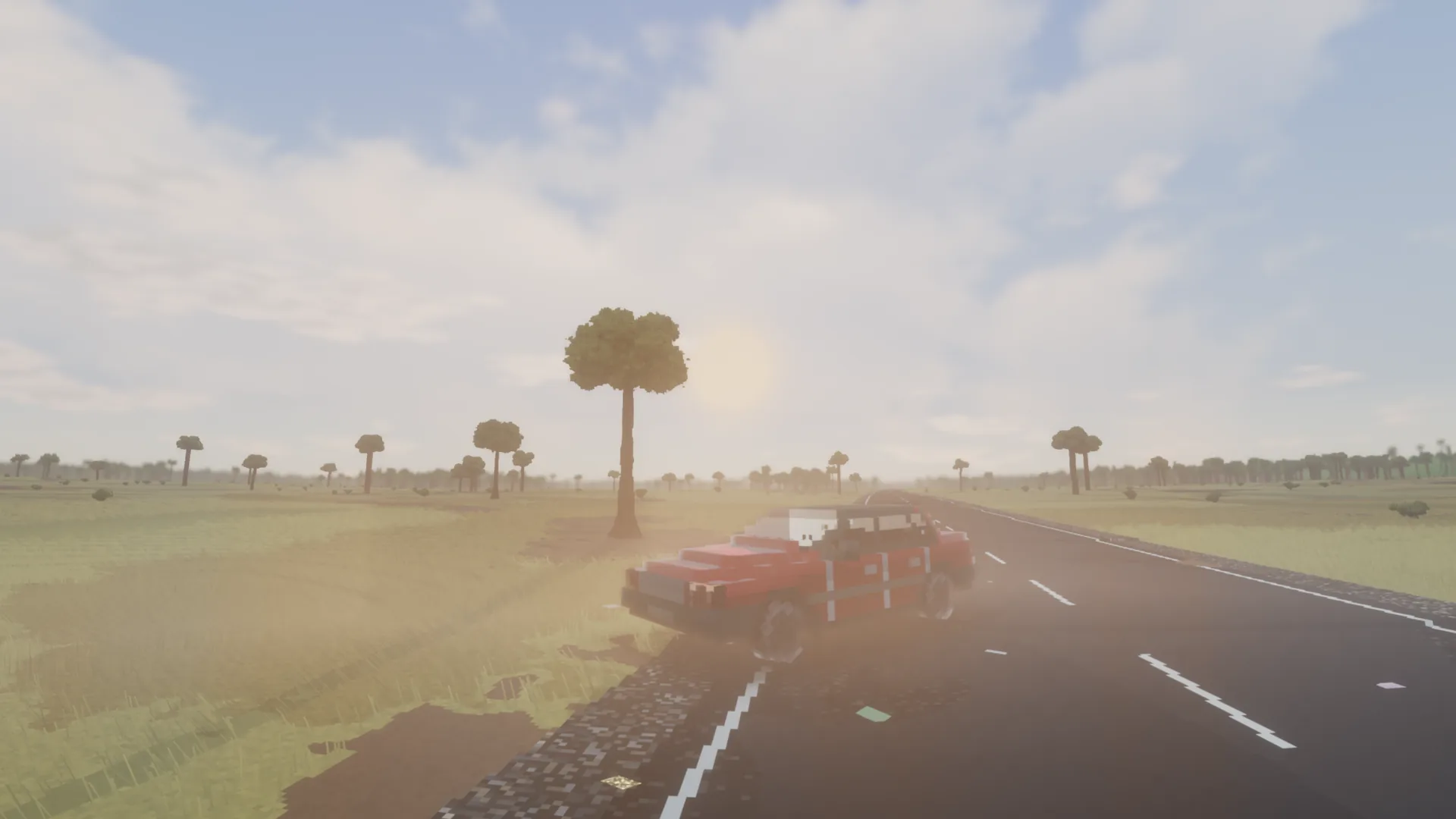
// Why Luxel
We want worlds you can actually change: dig through a wall, knock a building down, put up something new, and have the light, physics and sound all notice. That needs a world made of something you can take apart, and voxels are the most direct way there.
Voxel engines usually make you choose. Small voxels give you detail but a small map. Big worlds mean big blocks, or buildings that are only a shell with nothing behind the windows.
We also like games with no fake rooms. Plenty of "open world" games still let you into perhaps 5 to 20% of their buildings and spaces; the rest are locked doors, painted-on windows and blocked-off corners, and as players that has always bugged us. In Luxel every space is real, and every space is accessible.
Luxel is our answer: voxels 6.25 cm across, sixteen to the metre, in a 10 km × 10 km world where every building is modelled inside and out, from the cellar to the roof.
Luxel was heavily inspired by Teardown by Tuxedo Labs, whose destructible voxel worlds showed what this kind of engine can do. It is our third real attempt at a microvoxel engine, and one of our most successful implementations to date.
That said, we aren't focused too heavily on destruction or building. Luxel supports both, but we want them to be secondary to, and complement, the world itself, its characters and NPCs, and open-world sandbox gameplay. We don't intend for games made with Luxel to be purely about destruction or building.
Why 6.25 cm? It is exactly 16 voxels to the metre. Computing works best in powers of two, and 16 to the metre is the balance of detail and scale we settled on.
Luxel is not our only microvoxel engine: we also have another large-scale microvoxel engine in production, written in Odin, entirely ray traced, with voxels as small as 2.5 cm.
Luxel is a real-time voxel engine written in Rust. It renders a 10 km × 10 km world of 6.25 cm voxels with ray-marched geometry and dynamic global illumination, on Linux, Windows and macOS.
- 6.25 cm
- per voxel: sixteen to the metre, about the size of a brick face
- 10 × 10 km+
- every building modelled inside, with no real ceiling on world size beyond disk space
- 3.5–5.6 ms
- GPU frame at native 4K on an RTX 5080, no upscaling, across our test scenes (~180–290 fps)
// Features
01
Small voxels, real geometry
At sixteen voxels to the metre, a wall has mortar joints, a floor has boards and a road has a kerb, and all of it is geometry rather than texture. Anything can be dug out, built on or knocked down, and light, shadows, physics and sound all see the change.
02
Whole buildings, every storey
The world is generated from a seed: plains, woods, villages, towns and towers up to 24 storeys, linked by roads. Buildings have stairwells, lift shafts, corridors, rooms, cellars and bunkers, and there is never a solid block hiding behind a window.
03
Dynamic global illumination
Four cascades of light probes follow the camera to give real-time bounce light out to about 128 m. Knock a hole in a wall or move the sun and the lighting follows within a few frames. Voxel-space ambient occlusion adds the small contact shadows.
04
Materials without textures
Up to 255 materials, with bricks, marble veins, wood grain, cobbles and tiles from procedurally generated, baked 3D tiling voxel "textures", so nothing repeats at a distance. Mortar joints and cobble gaps are real missing voxels, and a fine surface grain and polish glints add detail inside each voxel.
05
All the way to the horizon
Full-detail voxels stream in around the player. Beyond them, the voxels are meshed into coarser dynamic levels of detail that carry the world to the horizon, all visible from the first frame. When chunks change, their levels of detail are rebuilt asynchronously in the background, so what you build or break shows up in the distance too.
06
Built to scale down
Compressing the GPU voxel store made it about 12 times smaller: the start town's 128 m window now takes about 240 MiB, and the default view distance is meant to fit an 8 GB graphics card. Our own temporal upscaler, DLSS and MetalFX cover the rest (FSR and XeSS are planned), and settings are picked to suit your card.
07
Big worlds, small files
World size isn't bound by memory. Only the area around the player is held at full detail; the rest is generated from the world's seed or read back from disk as you move. Built-up areas and everything you change are packed with our own voxel compression, developed in-house at Dastardly Games, at roughly half to two-thirds the size zstd manages on the same data.
08
Sound shaped by the space
Around 500 rays a second bounce through the voxels around the listener, and every material has acoustic properties. A tiled stairwell, a carpeted office and an open field each get their own reverb, measured live from the space as it is now.
// Scale, compared
The easiest way to picture Luxel's scale is a block game like Minecraft. Its blocks are a metre across, and the default textures paint 16 × 16 pixels on each face. In Luxel, every one of those pixels is a voxel of its own.
A 1 m block
In a typical block game: one cube.
A 16 × 16 pixel texture is painted flat on each face.
Break it, and the whole block goes.
The same metre in Luxel
16 × 16 × 16 = 4,096 voxels, each 6.25 cm across.
Every one is real geometry.
Dig one out, and light, shadows, physics and sound all see the hole.
Inside every voxel face
8 × 8 texels of colour and surface (PBR) grain on every voxel face.
That is 128 × 128 per square metre.
Subtle by design and almost free: effectively 8× the detail on every face.
// Screenshots
-
Woodland at the edge of the test world. Grass, leaves and litter all move with one wind field.
-
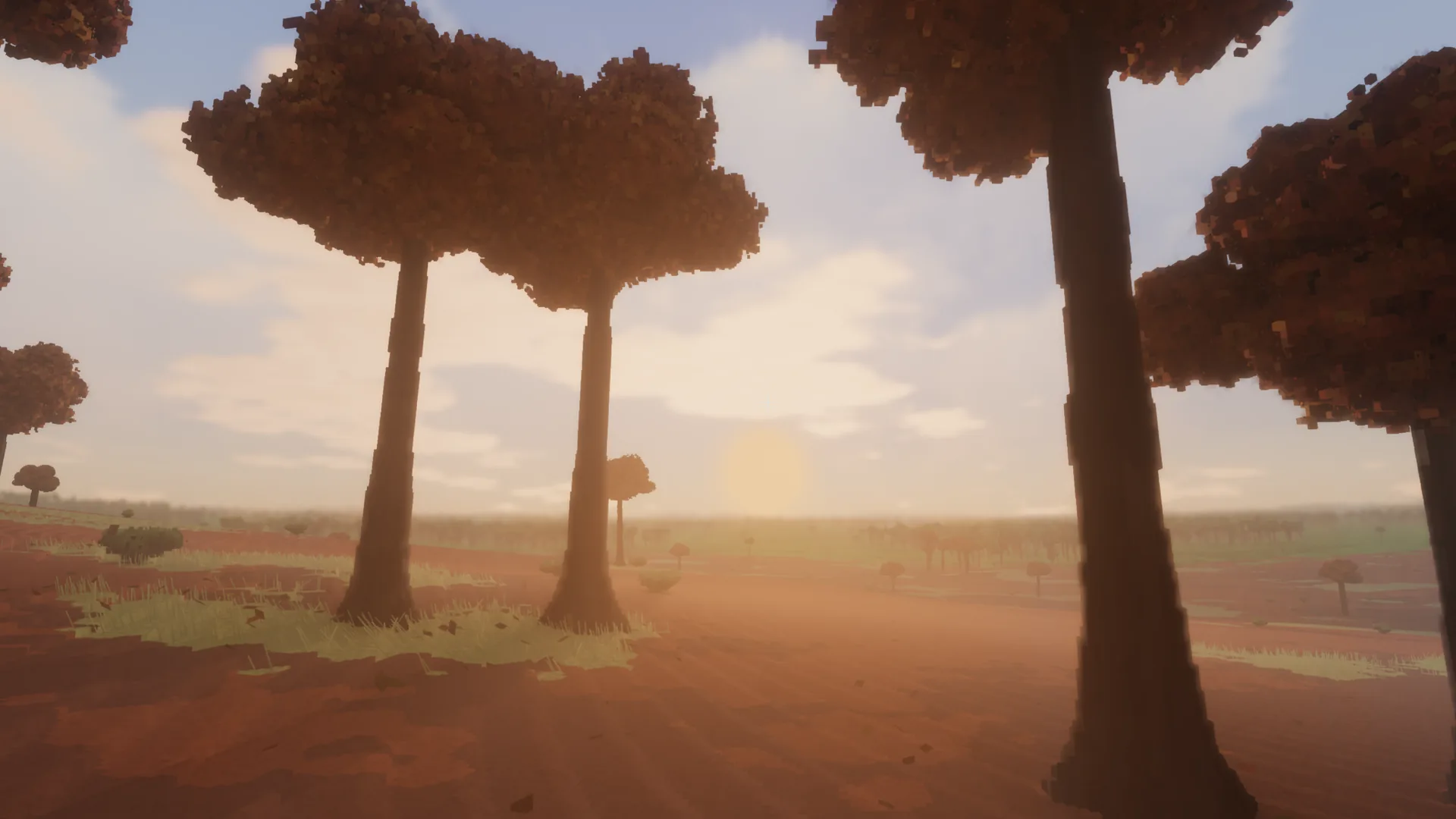
Red woods on the plains. Every leaf in the canopies is a voxel.
-
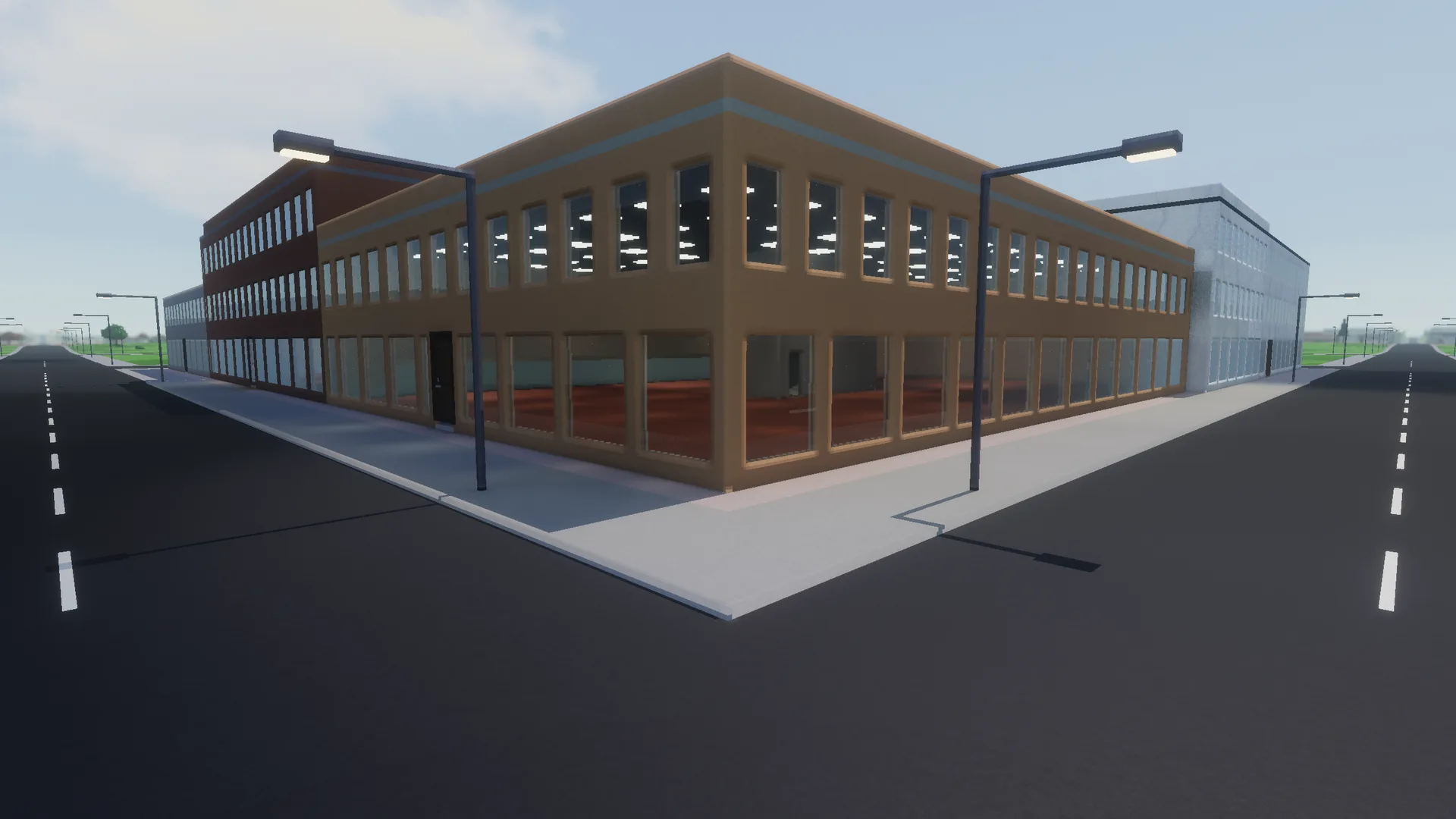
A street corner in the start town under a low evening sun.
-
The same corner at night: lit offices, street lights and stars.
-
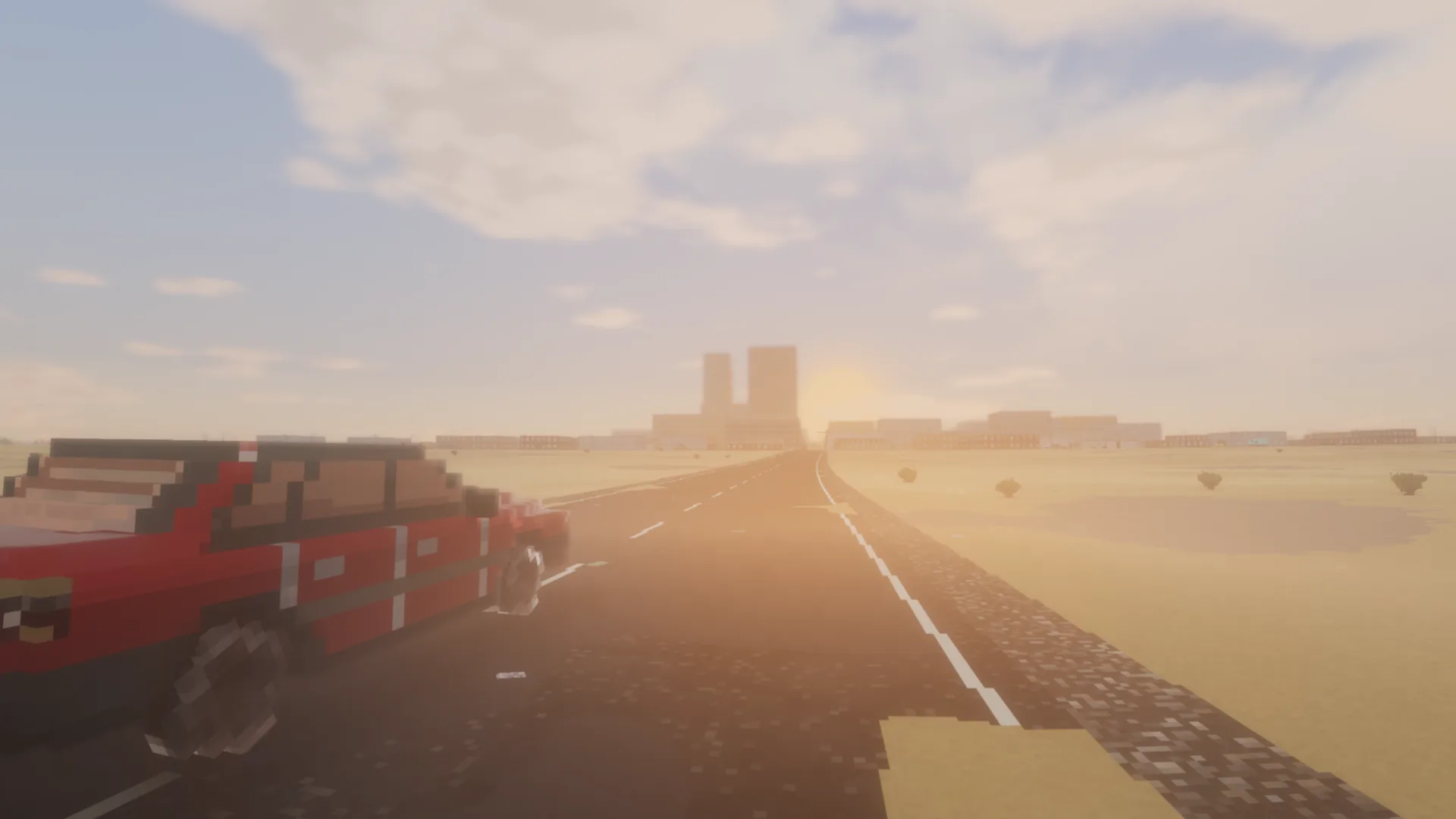
Light scattering through the haze as the sun sets behind the city.
-
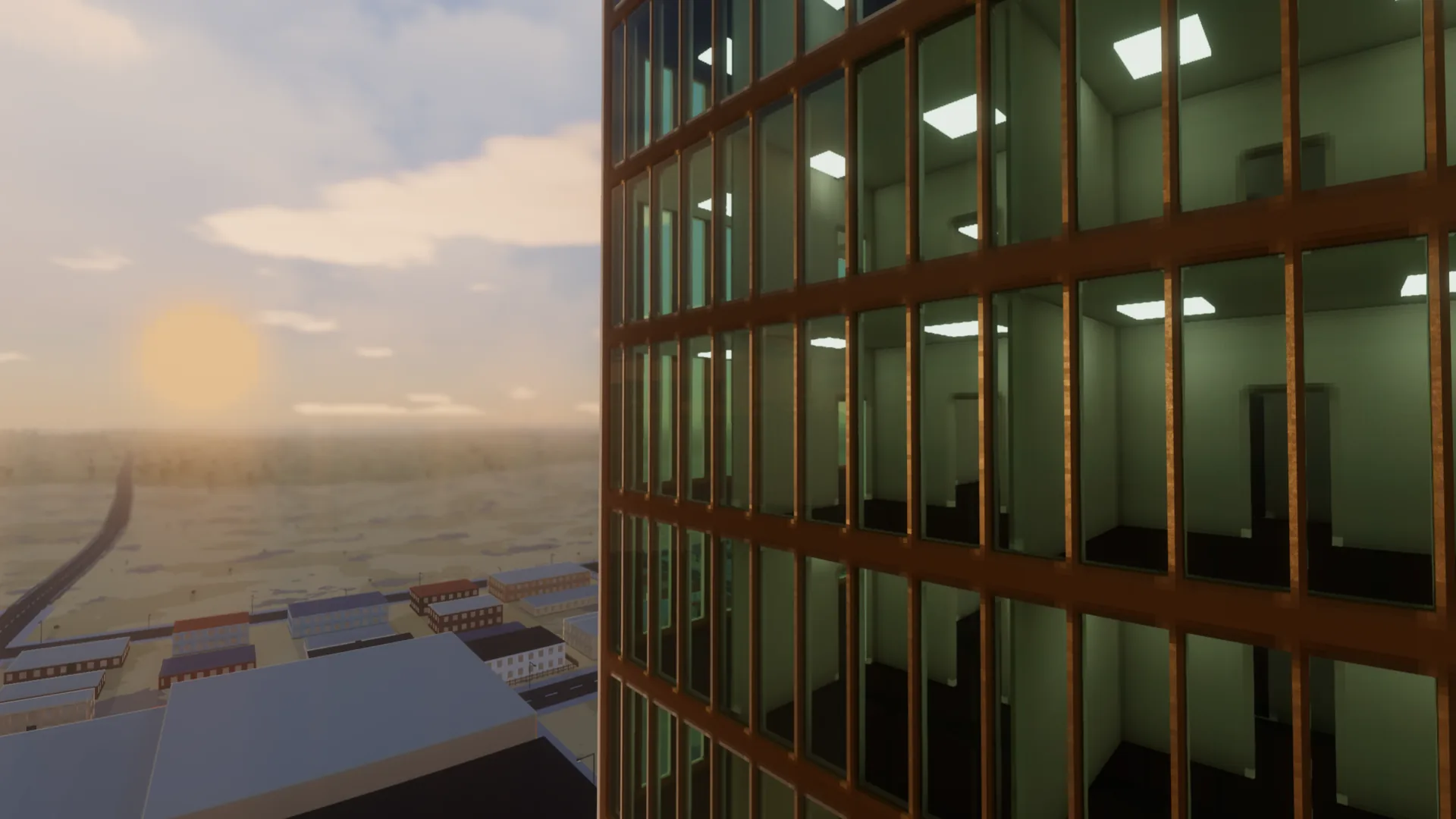
High on a tower, looking along its glass towards the next one.
-
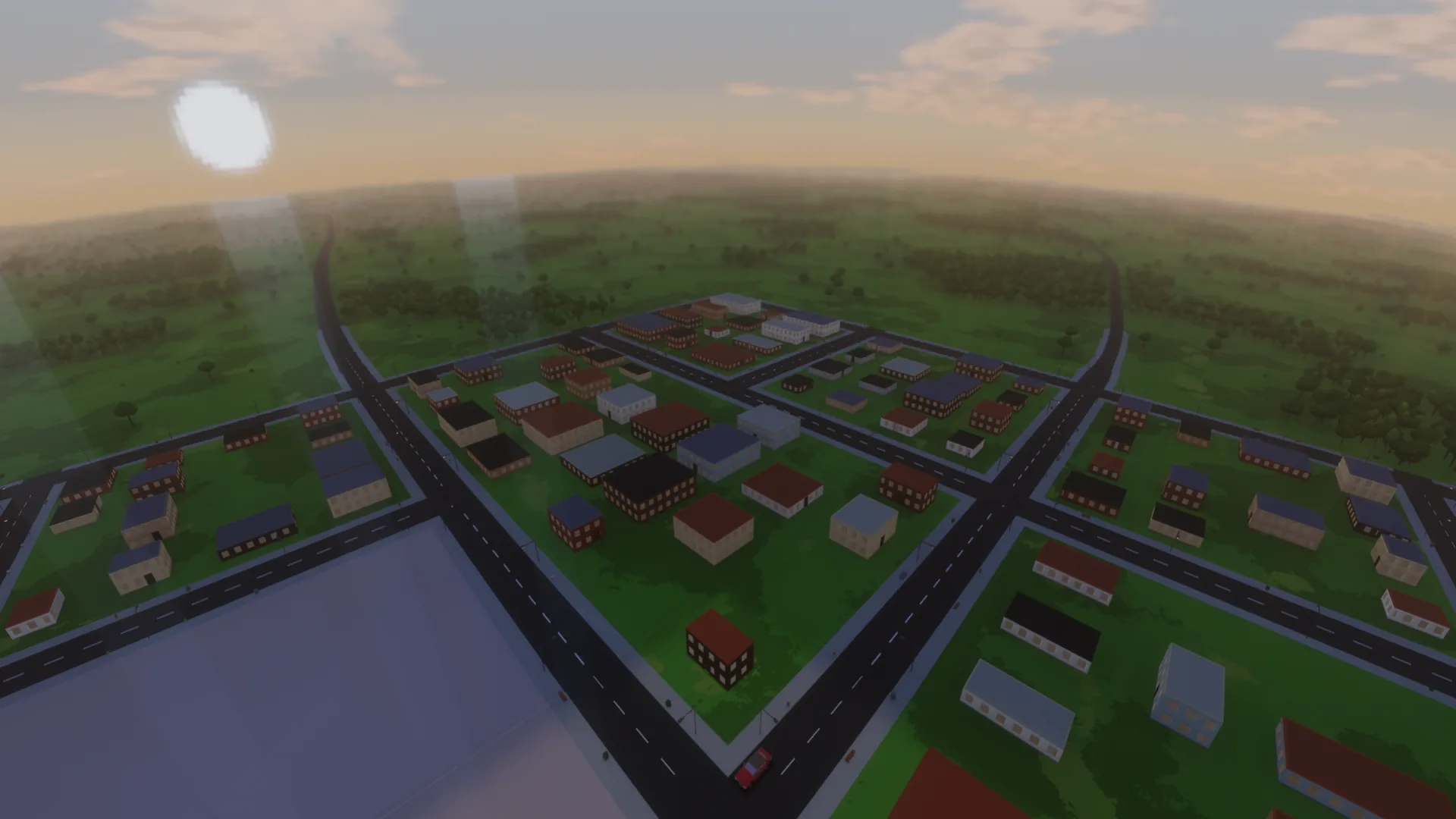
High above the city: towers, offices and housing, with the plains and woods out to the horizon.
-
An office tower in the city centre: every floor has its rooms, lit from the ceiling.
-
A basement under an office block, lit only by its ceiling lights.
-
A stairwell. Every storey is modelled, and so is the way between them.
// Side by sideDrag across each image to compare.
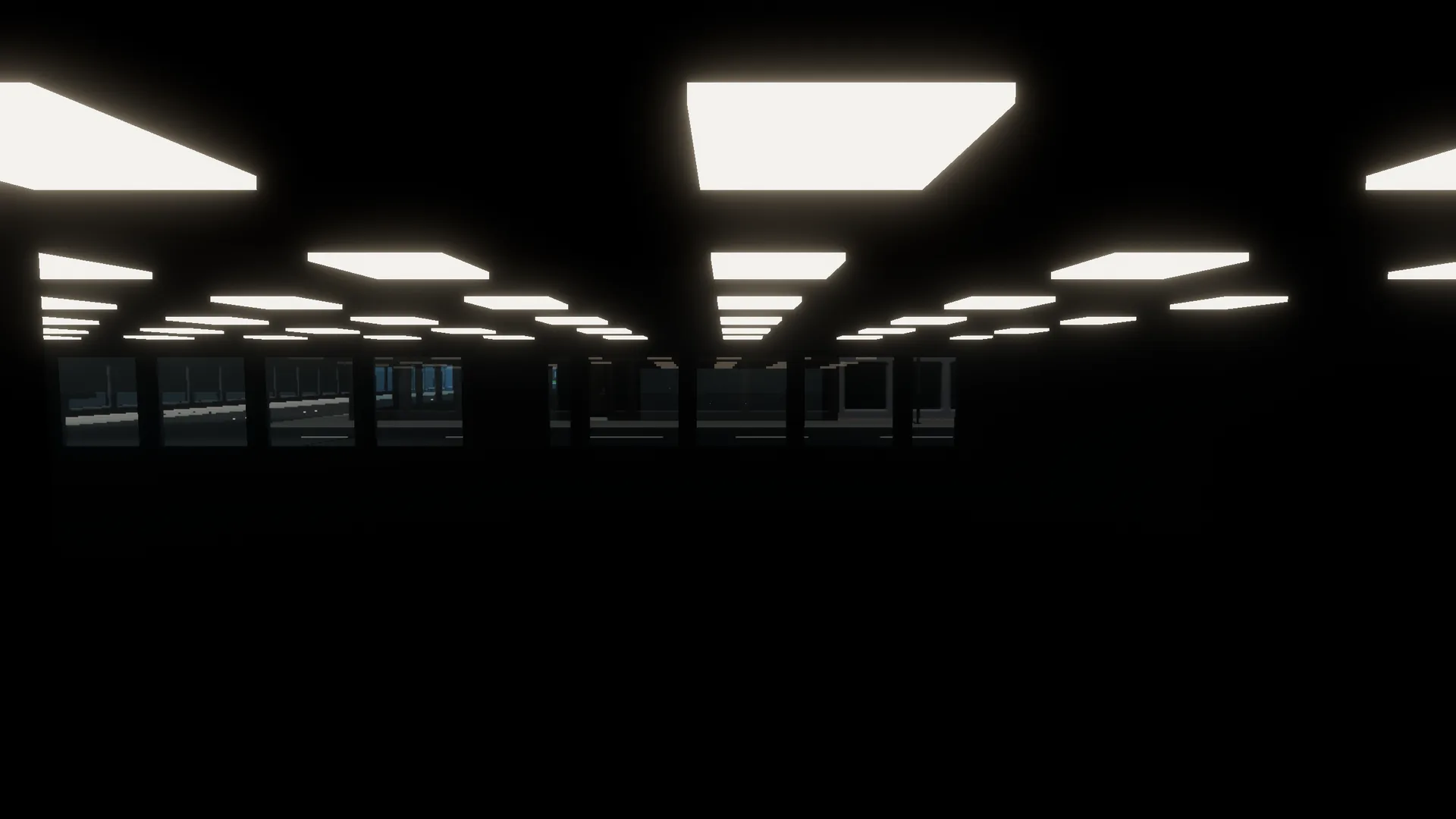
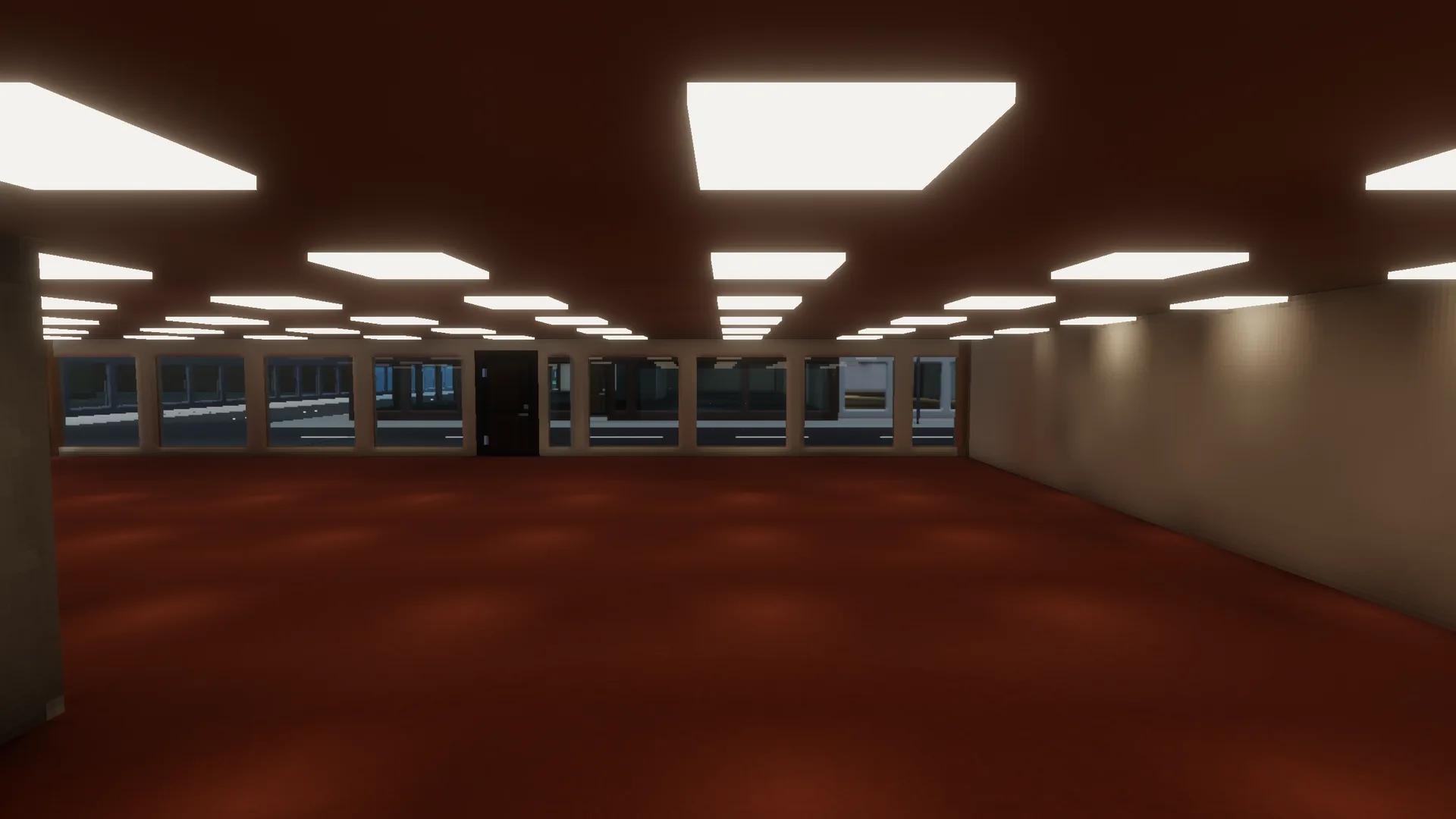 DDGI on DDGI off
A ground-floor office lit only by its windows and ceiling panels. Without bounce light, the room is black.
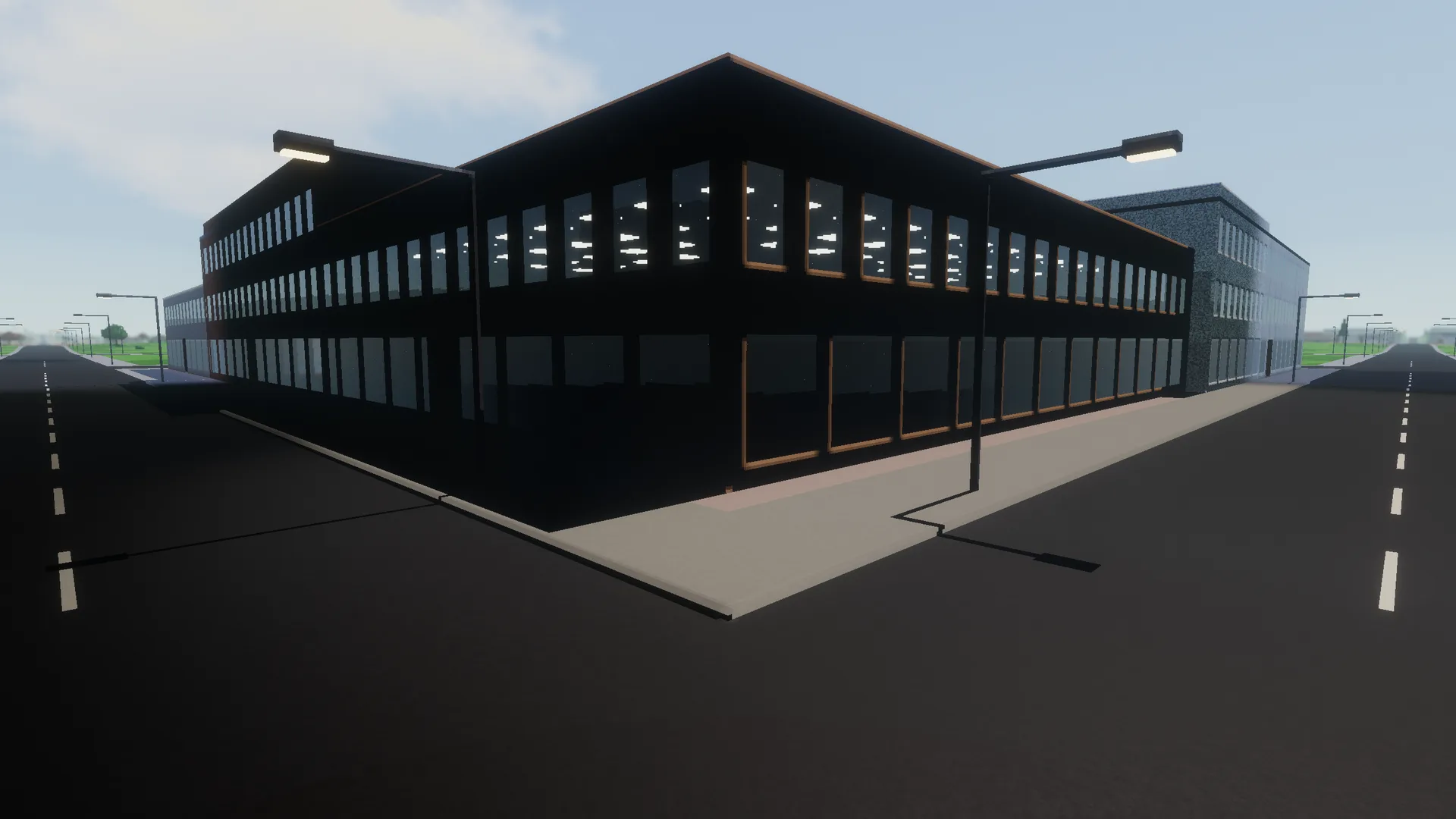
 DDGI on DDGI off
A street corner at noon. The shaded facades get all of their light from the sunlit street and sky bouncing back at them.
 Noon Night
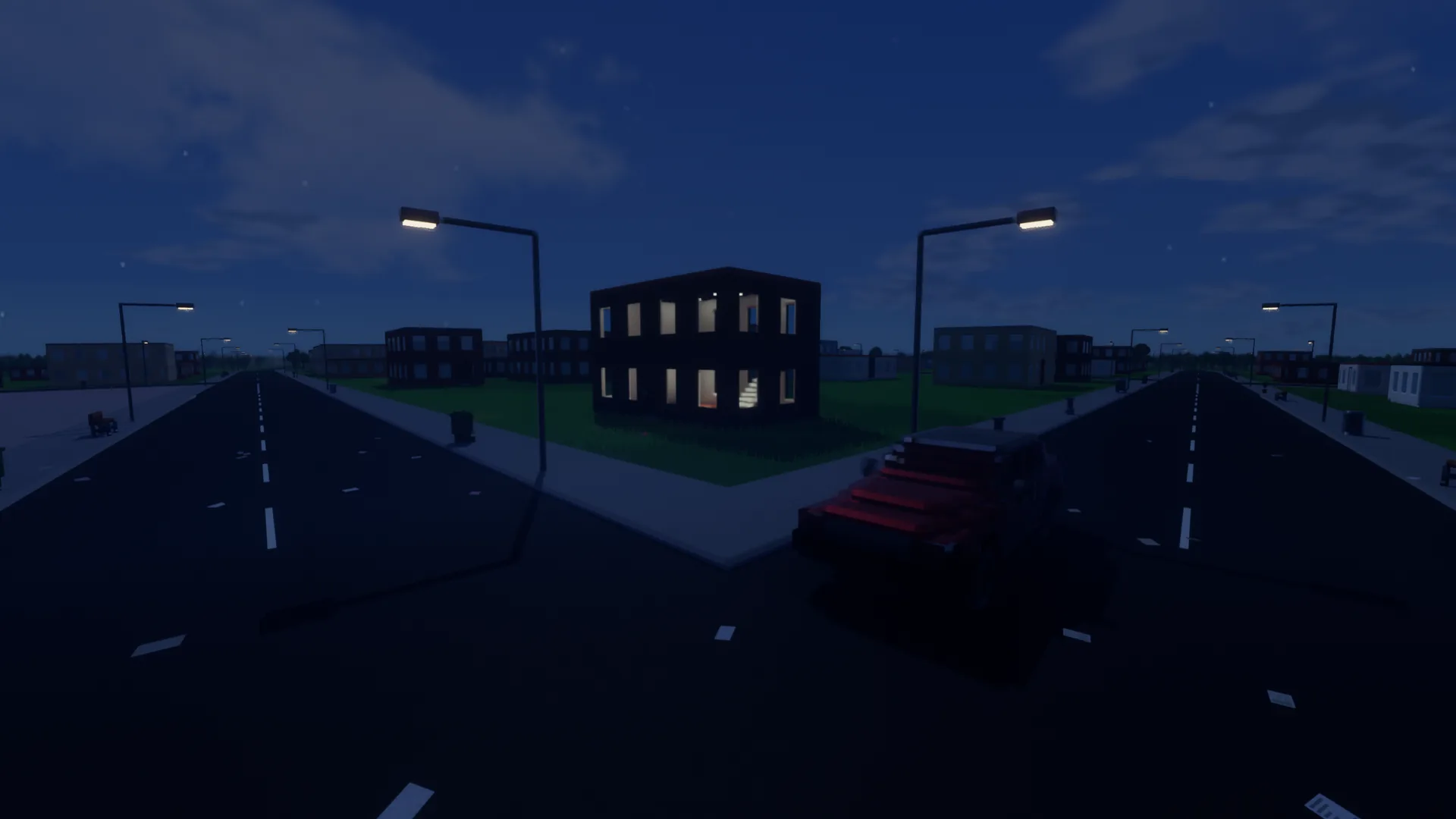
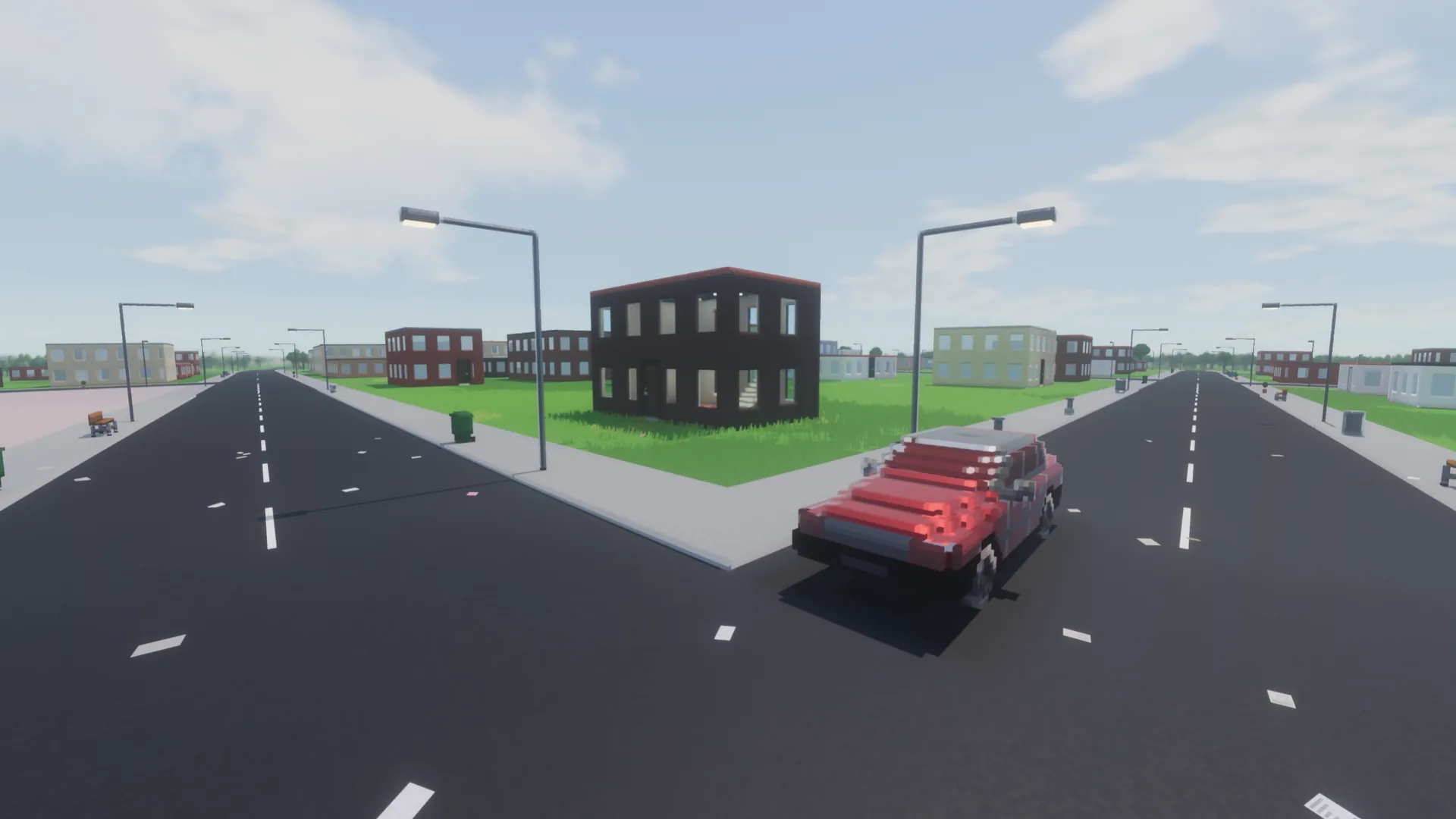
The same crossroads at noon and at night. The sun, sky and street lights all feed the same global illumination, so the change needs no baked lighting.
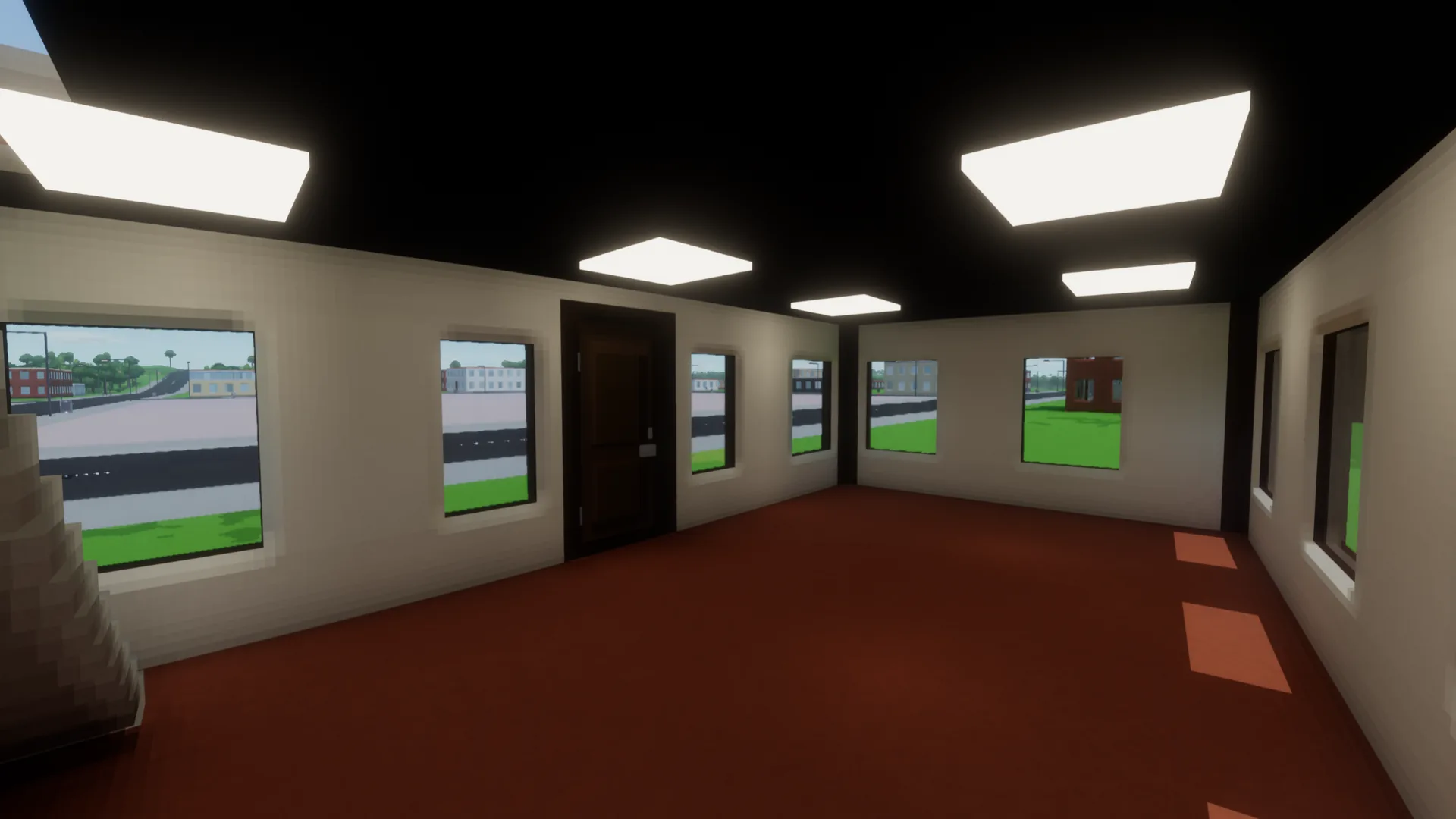 Noon Night
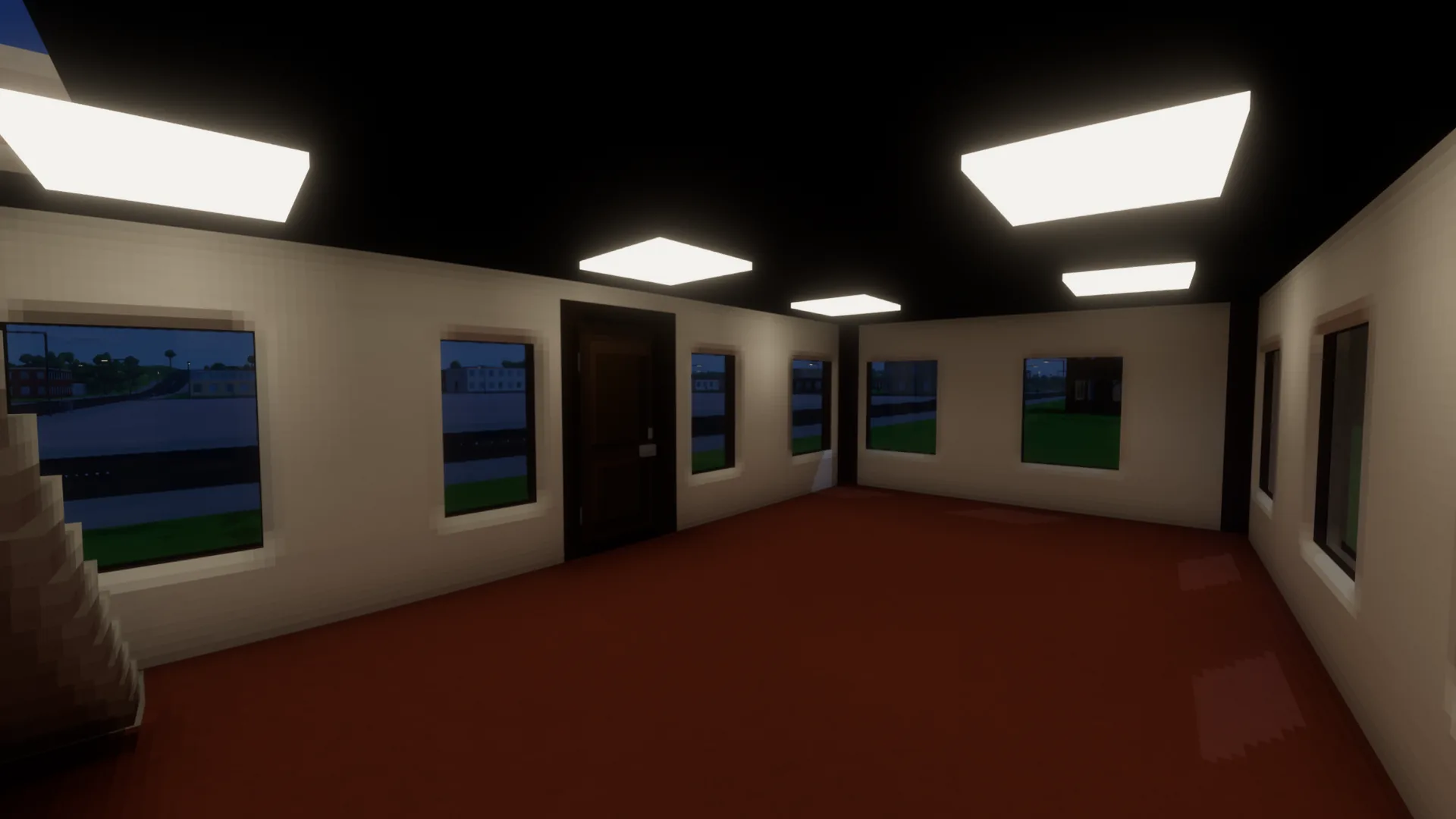
A room at noon, with sunlight falling through the windows onto the floor, and the same room at night, lit by its ceiling panels alone.
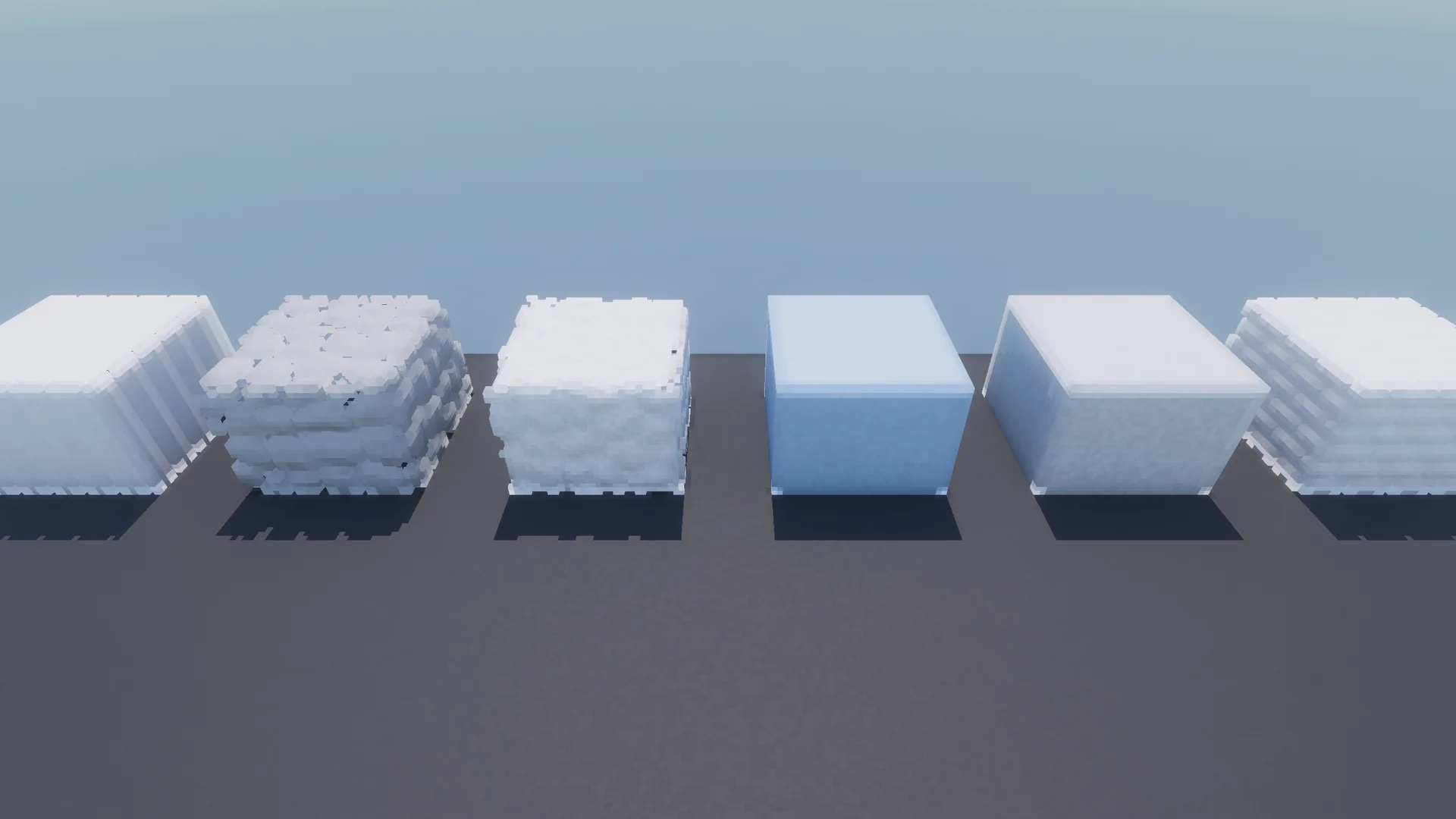
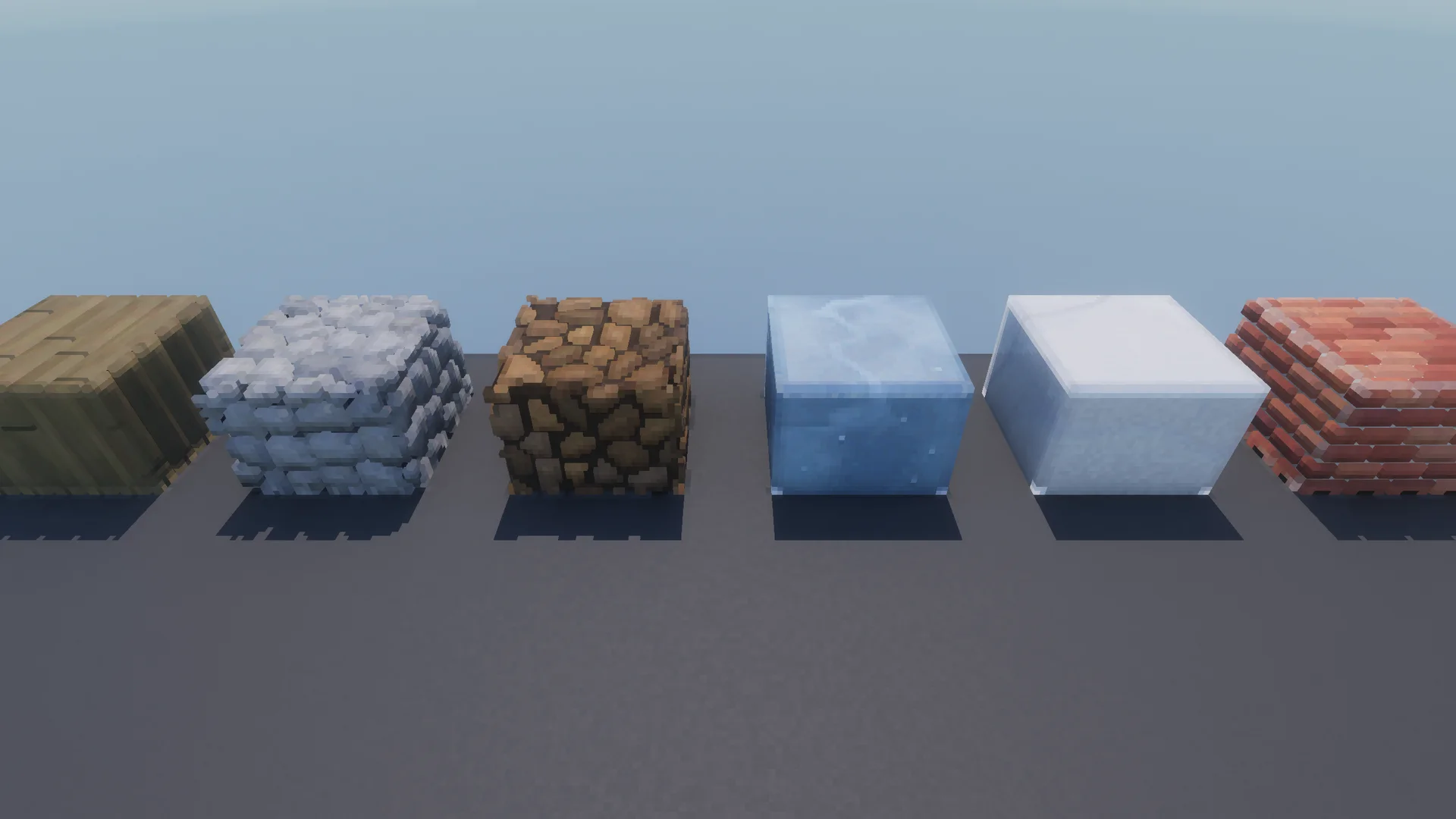 Patterns on Patterns off
Bricks, marble, ice, dirt, cobblestone and wood planks. Each pattern is a procedurally generated, baked 3D tiling voxel "texture": it runs through the material, so a vein carries on around a corner and into a hole dug in it. Turn patterns off and the relief stays, because mortar joints and cobble gaps are real voxels.
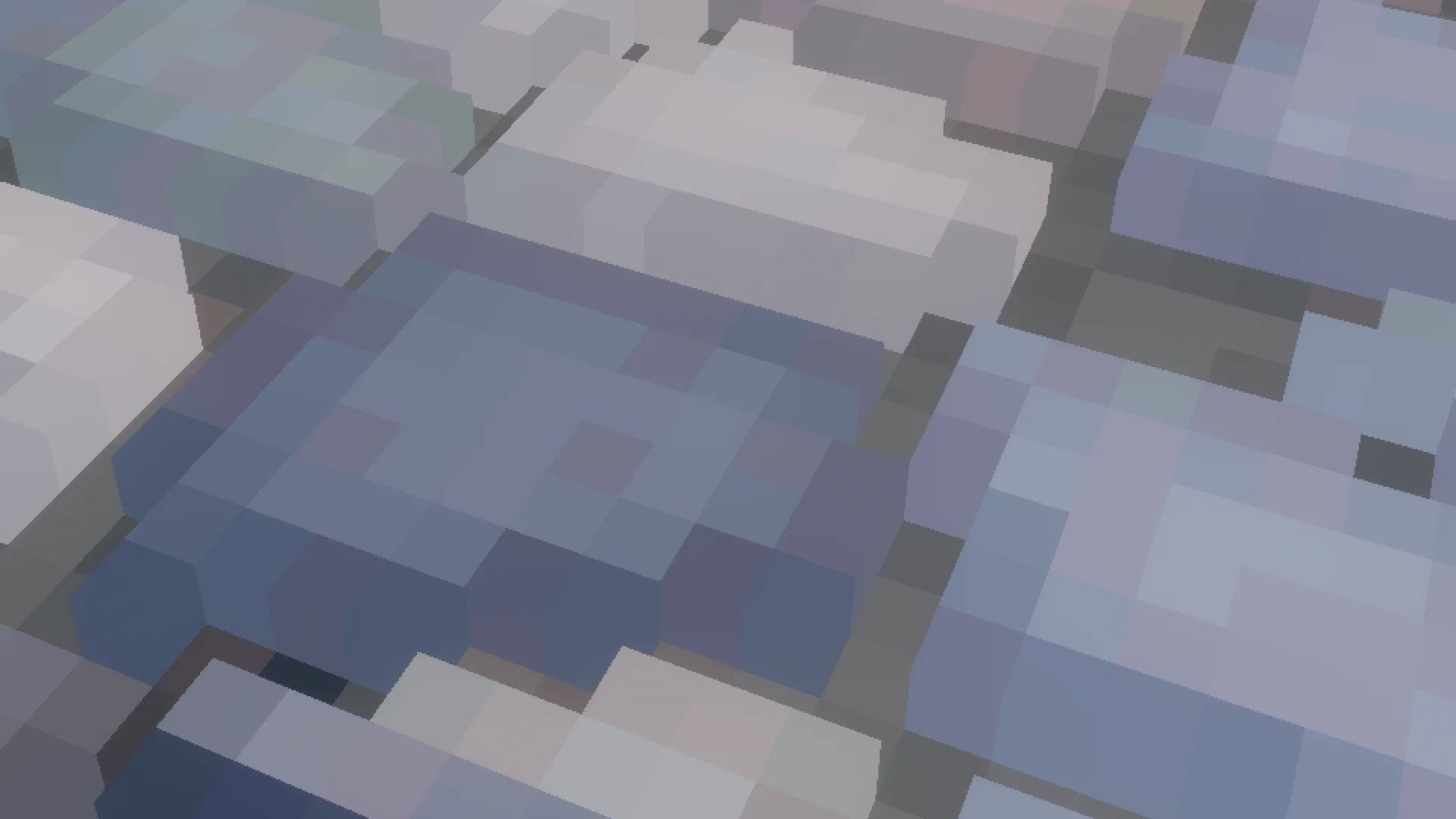
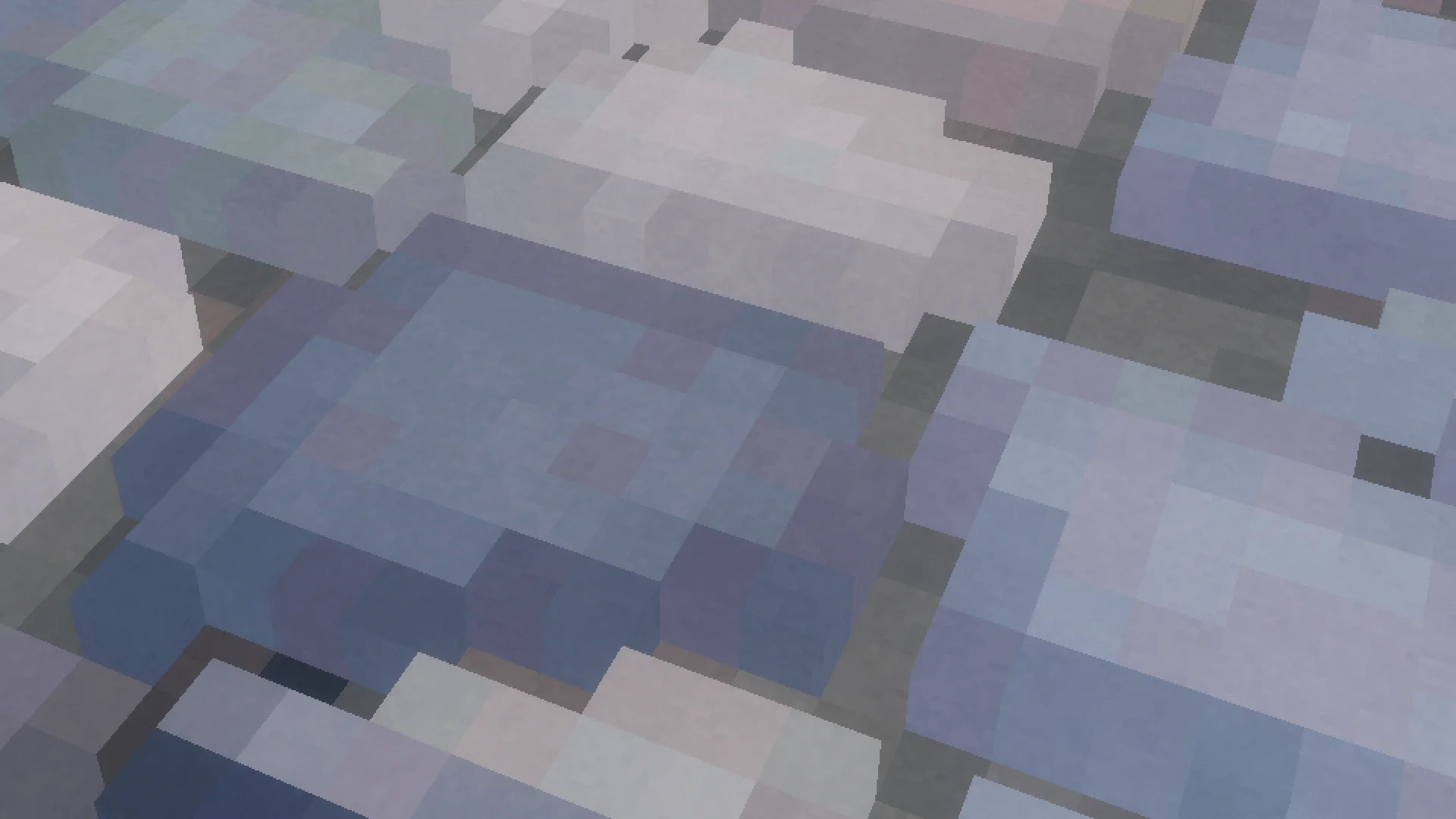 Detail on Detail off
Zoomed in on cobbles. Surface detail is designed to be subtle: 8 × 8 texels of colour and surface grain on every voxel face, which effectively gives each face 8× the detail for almost no cost.
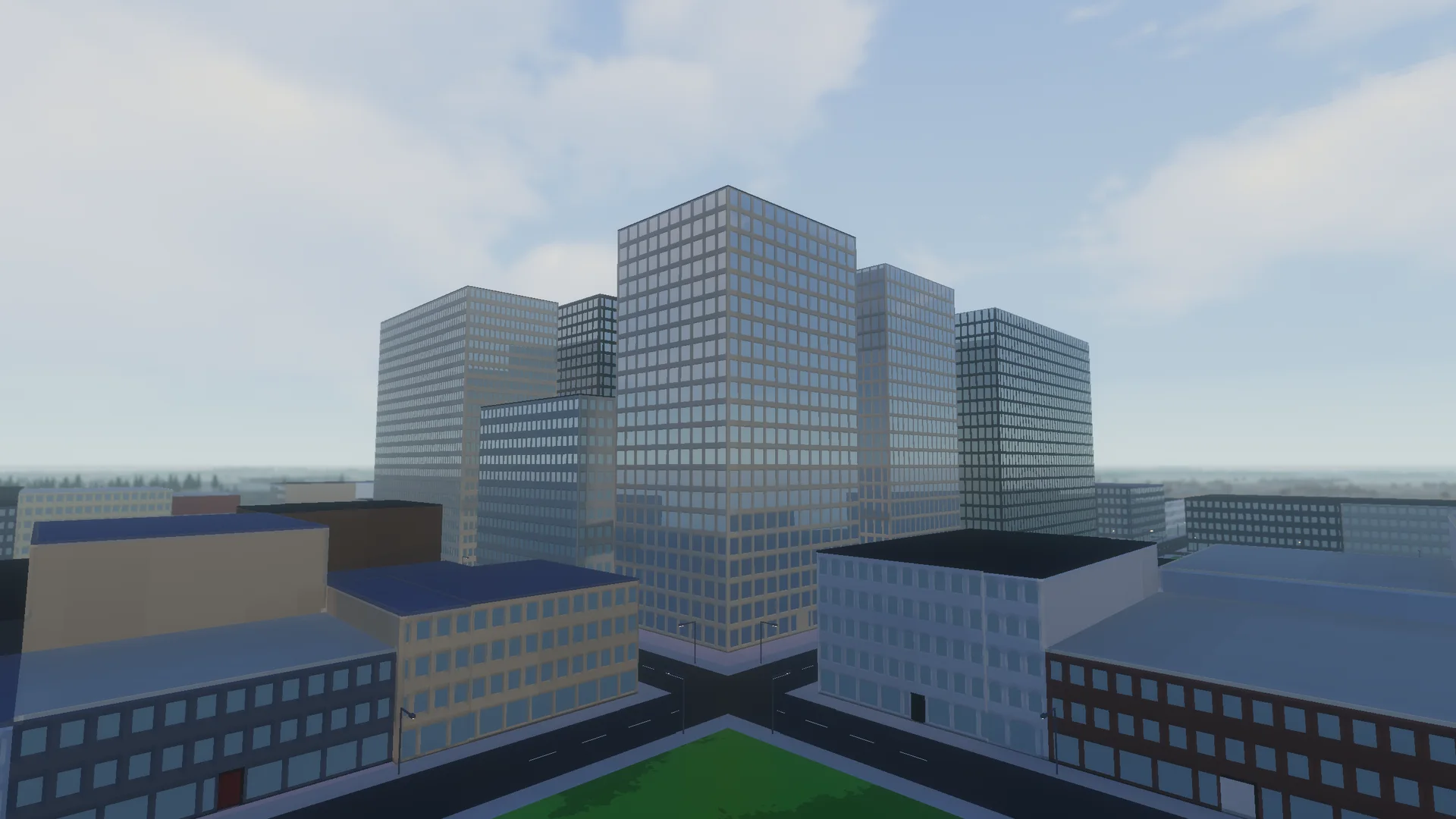
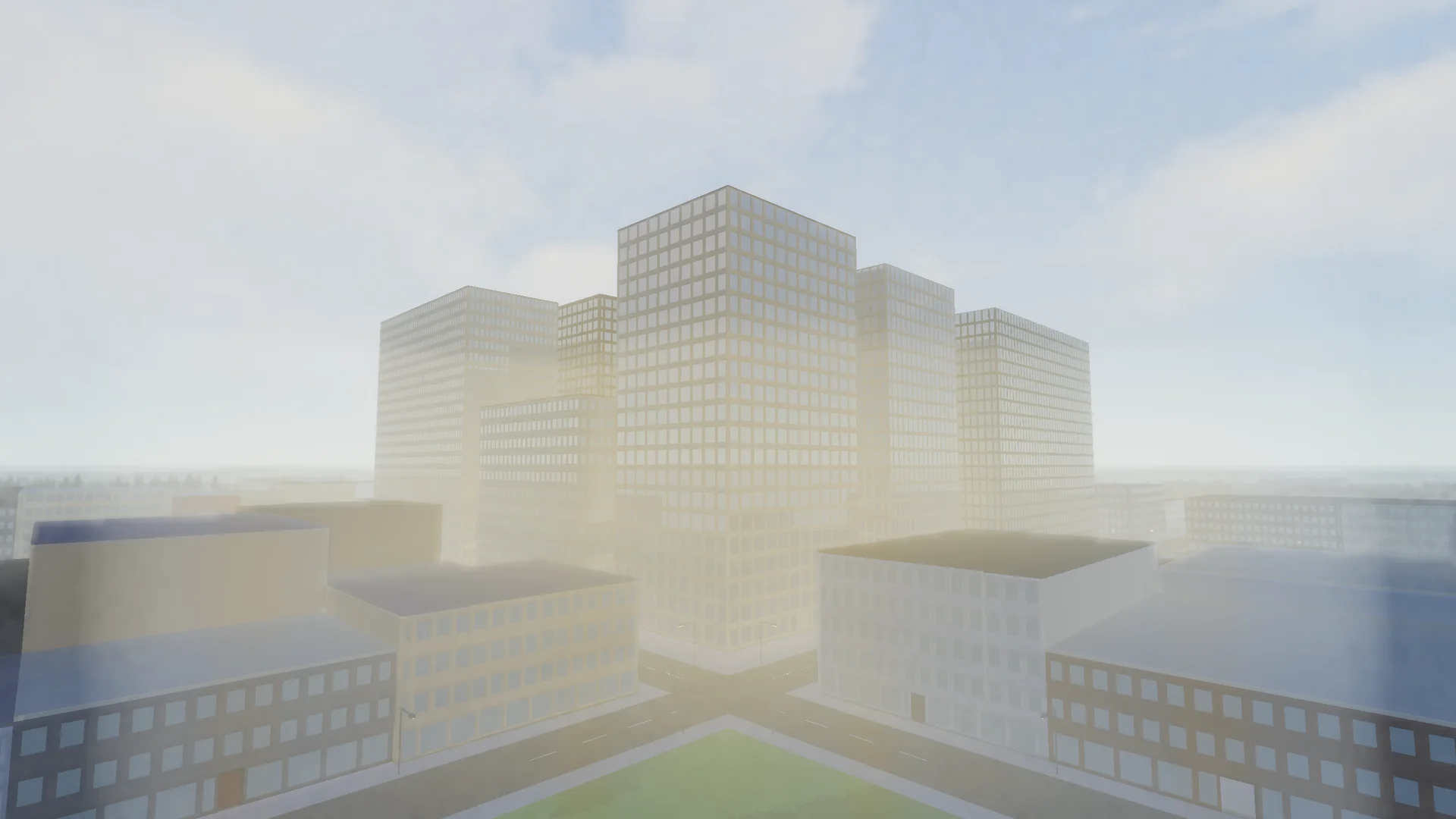 Fog on Fog off
The tower district with the sun low behind it. Light scatters through the height fog toward the camera. Turned up from the default for this comparison.
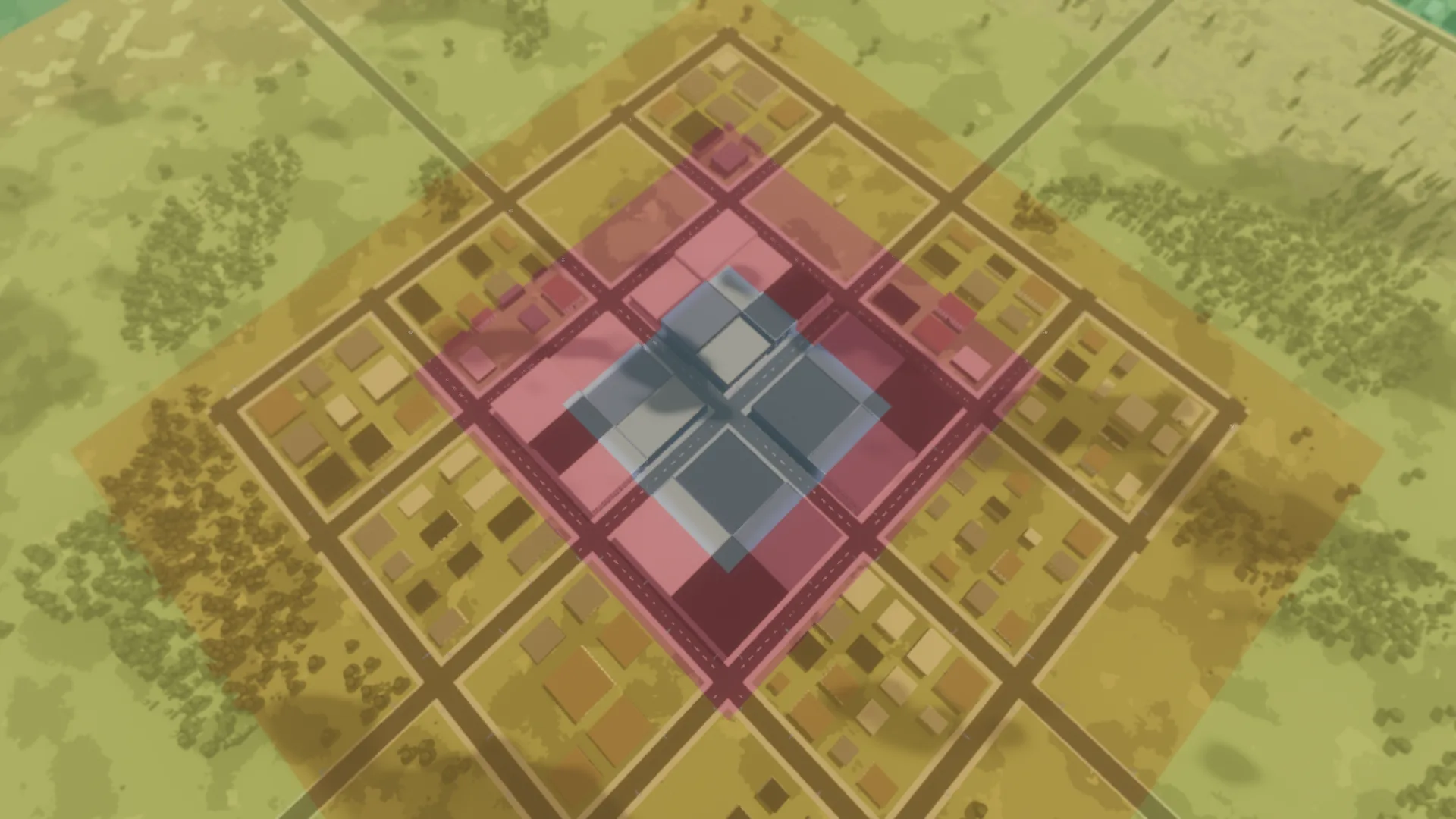
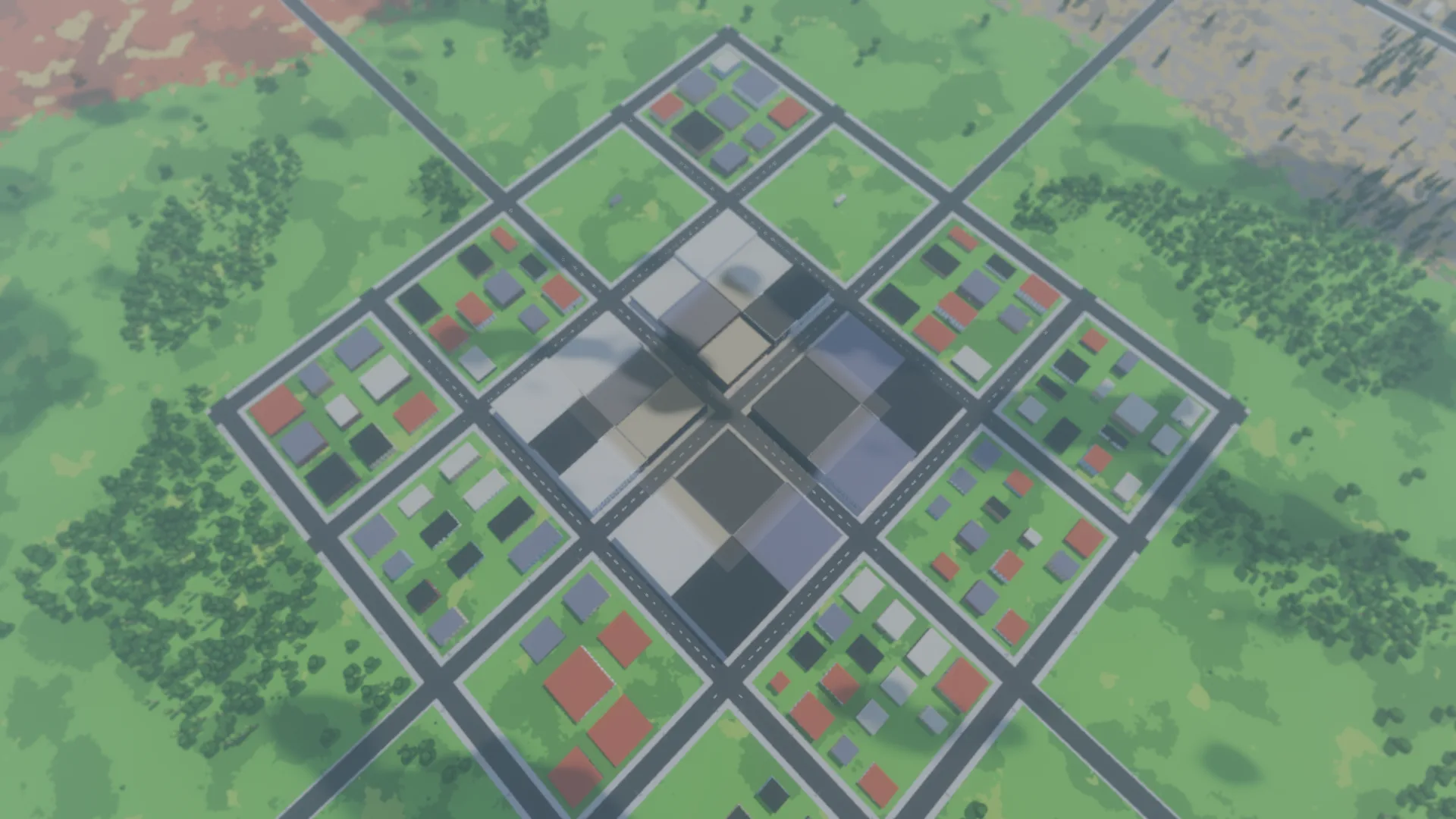 Final frame Levels tinted
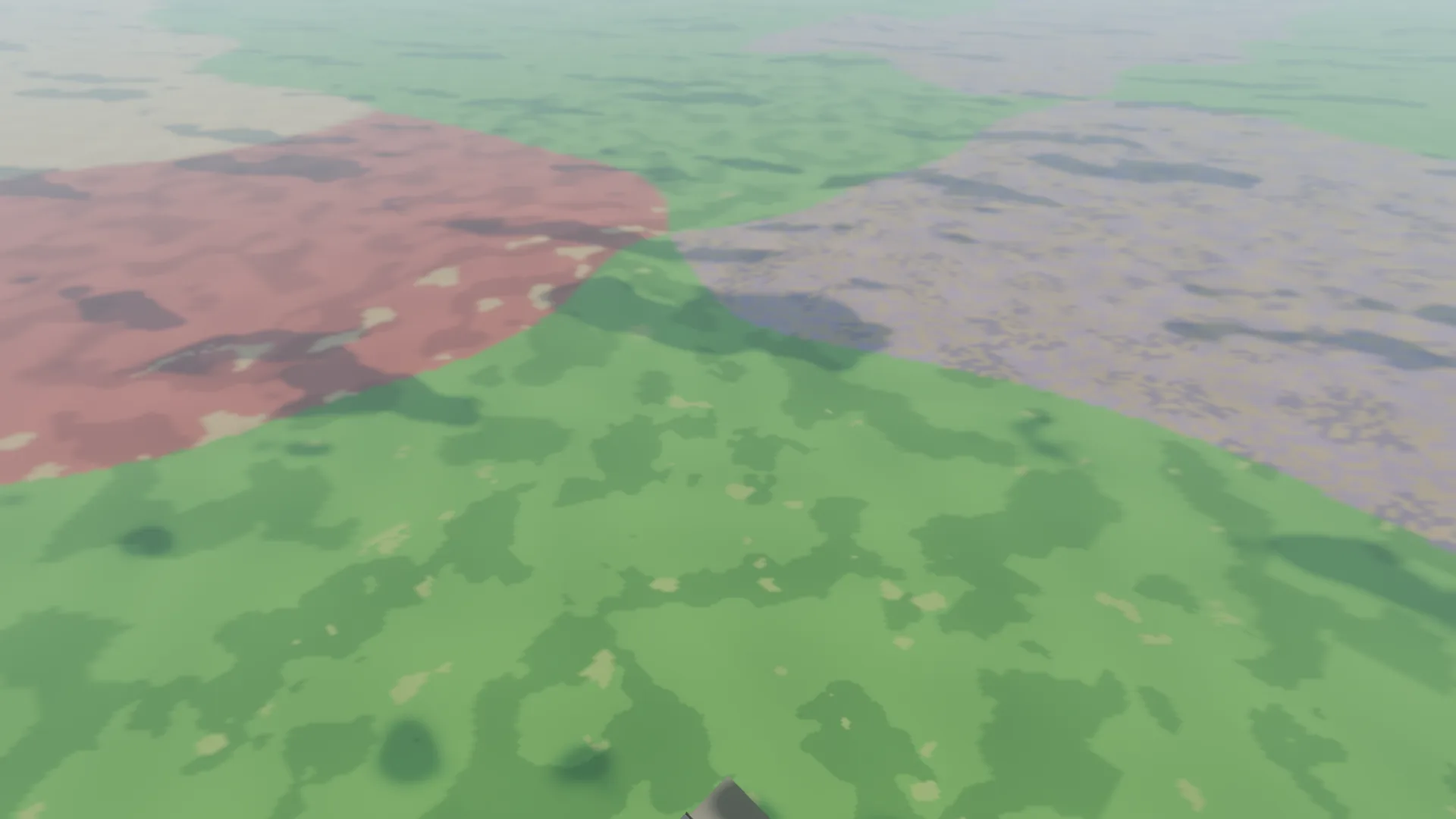
The start town from about 360 m up. The untinted centre is the full-detail window; each coarser level is tinted red through to purple (a debug view made for these images).
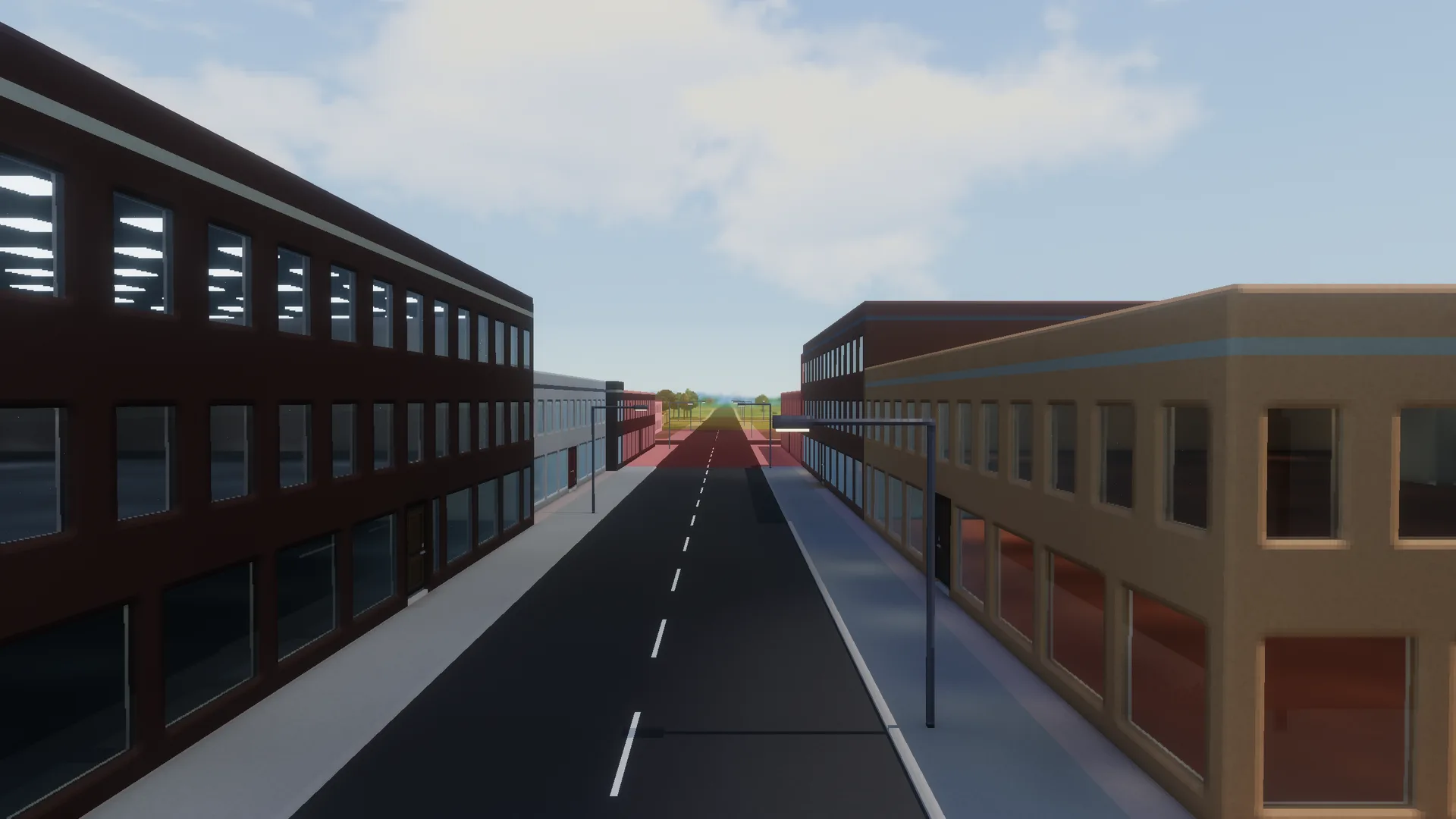
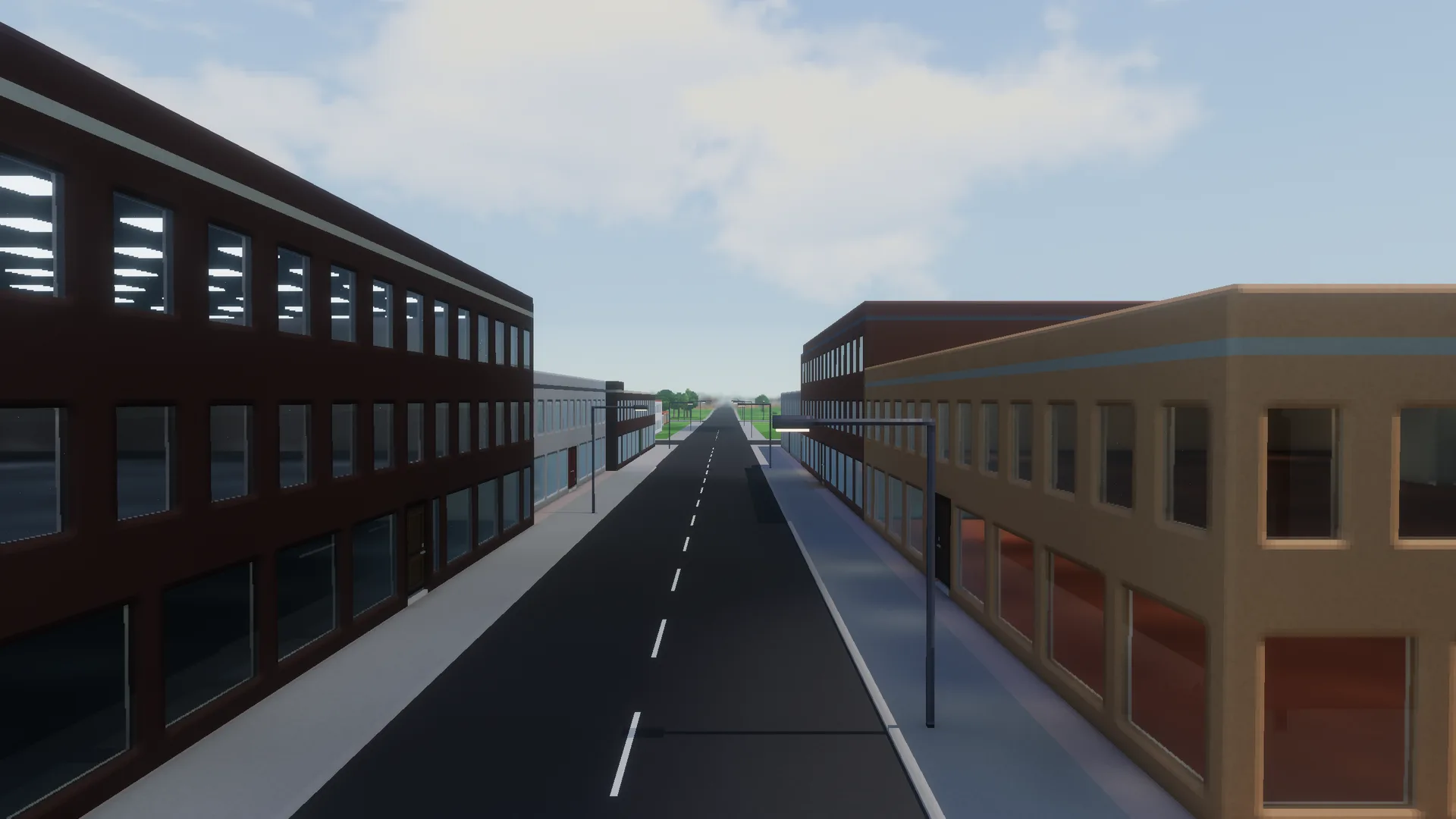 Final frame Levels tinted
At street level, looking down a road. The full-detail window hands over to the first coarse level partway down the street, and in the final frame you can't see where.
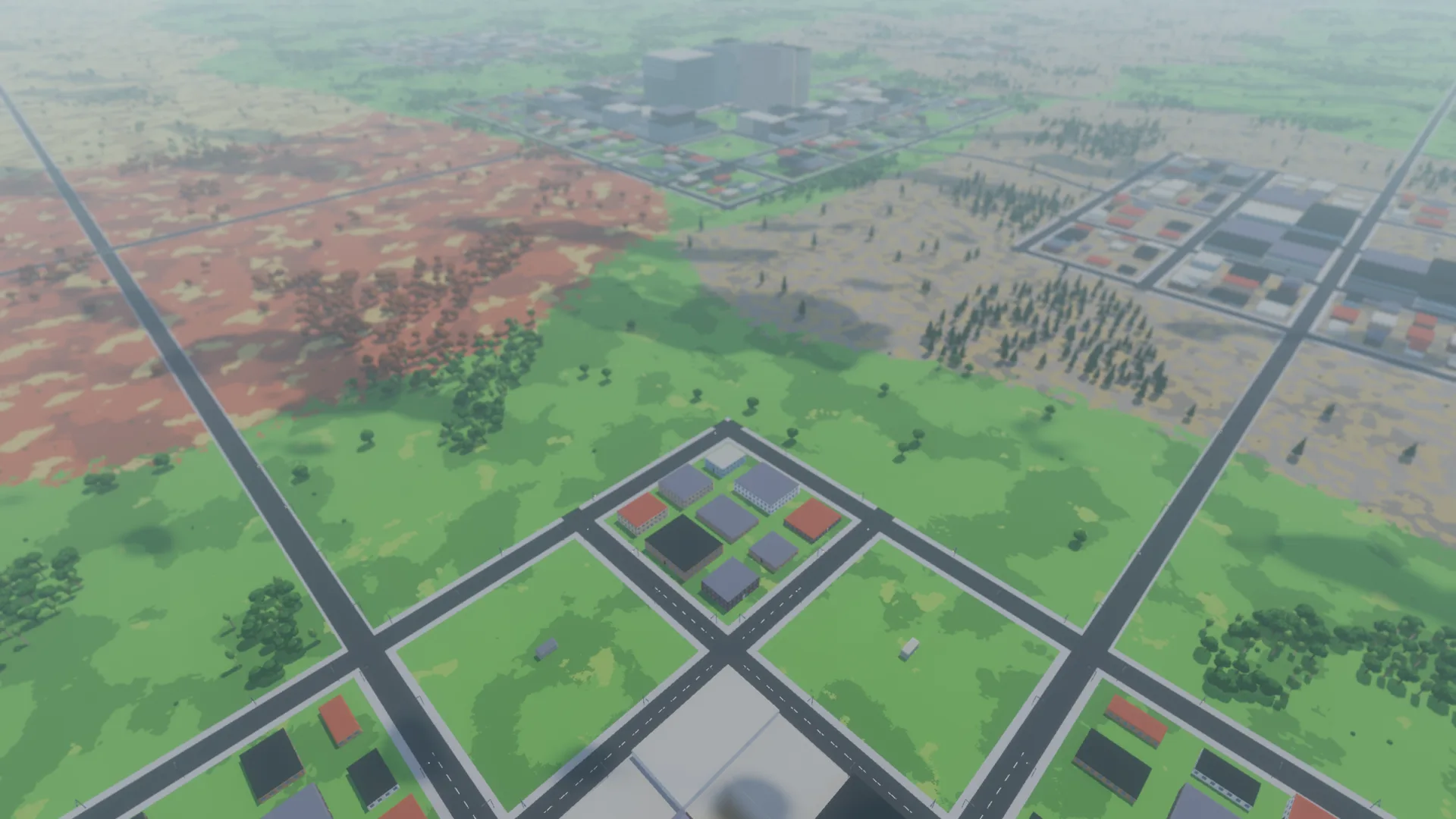
 Window only Coarse levels
The same view with only the full-detail window and bare far terrain, then with the six coarse voxel levels filling in the towns and woods.
// Global illumination
Luxel's bounce lighting builds on DDGI (dynamic diffuse global illumination), the probe-based technique from NVIDIA Research, adapted to voxels and to worlds kilometres across.
01
Cascades that follow you
Four cascades of 32³ light probes move with the camera. The finest has probes a metre apart and each cascade doubles the spacing, covering about 128 m in every direction.
02
No light through walls
Each probe stores light from every direction in a small octahedral map, along with depth that stops light leaking through walls. Probes that end up inside solid voxels move themselves out.
03
Traced through the voxels
Probe rays travel through the same voxel world you see, so there is no separate lighting proxy to build or keep in sync.
04
Fully dynamic
Knock a hole in a wall or move the sun, and the bounce light follows within a few frames. A fast ambient occlusion pass, using techniques borrowed from CORTAO (Circular Occluder Ray-Traced Ambient Occlusion) from Carbon Engine, adds the small contact shadows in creases and at the foot of walls.
// Upscaling
Luxel renders anywhere from full resolution down to a quarter of the pixels in each direction, then rebuilds the full picture. We wrote our own temporal upscaler, and plug in each vendor's where the hardware has it.
01
Our own TAAU
Temporal anti-aliasing and upscaling written for Luxel, and what the game uses by default: it works on any card, and at full resolution it is plain TAA. Render scales run from 100% down to 25%.
02
DLSS on NVIDIA
Supported on NVIDIA RTX cards. In our tests, DLSS rendering at half resolution looks nearly as good in motion as our TAAU at full resolution.
03
FSR and XeSS: planned
AMD's FSR (including FSR 4.1) and Intel's XeSS are planned. Both currently ship as Windows libraries only, so on Linux they depend on AMD and Intel adding Linux support.
04
MetalFX on Mac
Supported on Macs with Apple silicon. MetalFX is part of macOS, so there is nothing extra to install. It can upscale an image to at most three times its width and height; below that render scale, our own TAAU takes over.
// Physics
 Colliders on Colliders off
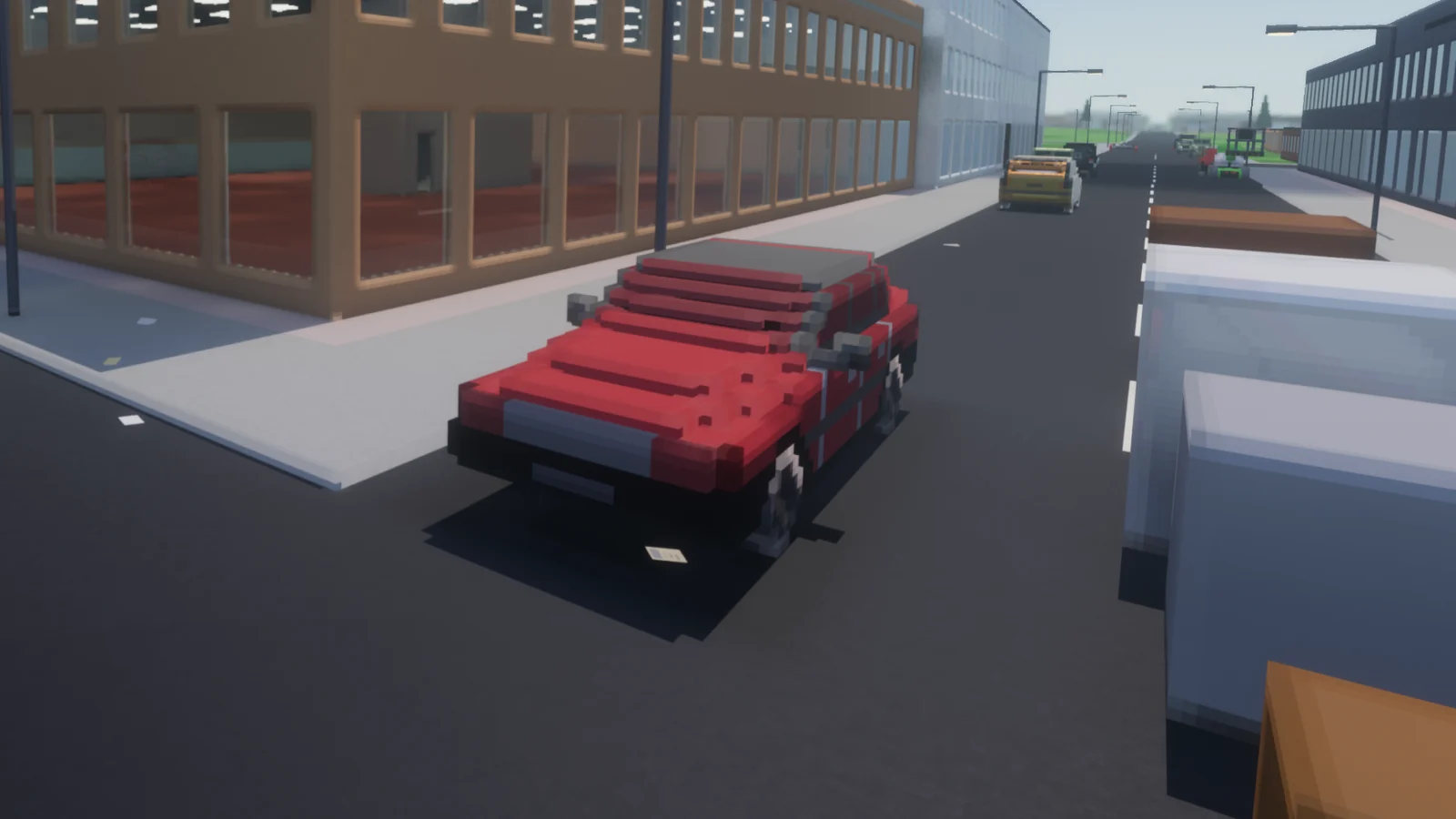
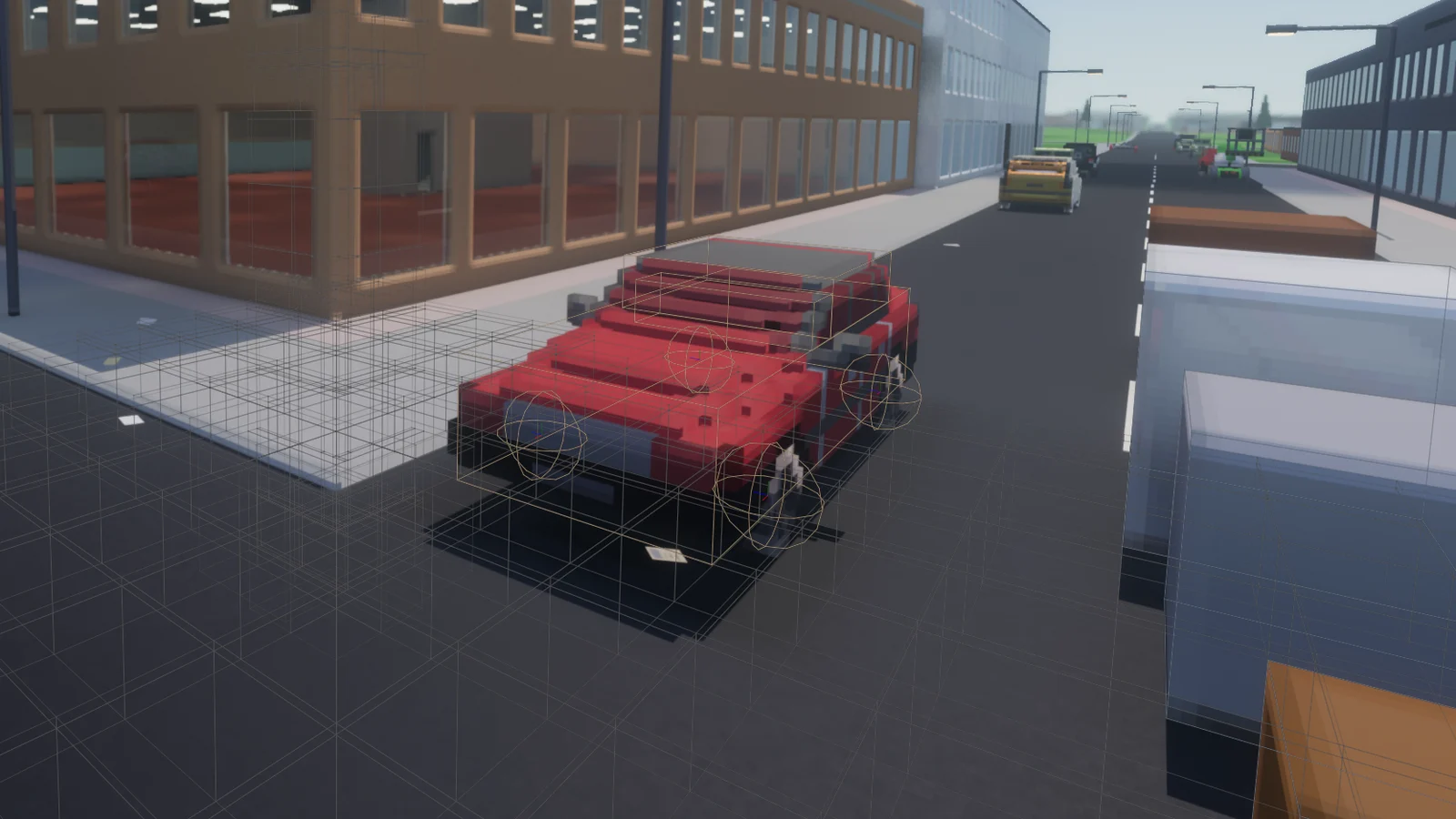
Luxel's physics runs on Box3D, Erin Catto's open-source 3D physics engine from the author of Box2D. On top of it we build everything Luxel needs: turning voxels into colliders, keeping a 10 km world cheap, and tying physics into sound.
01
Voxels in, boxes out
Every 16³ chunk of the world becomes a static body: one compound shape of greedy-merged boxes. Anything that moves is the merged boxes of its own voxels, with density, friction and bounce taken from each material. Box3D works in voxel units, so its tolerances scale with the 6.25 cm voxel.
02
Colliders only where things happen
Static colliders are built only within six chunks of the player or a moving body. Building them for the whole 128 m window used to cost 7.7 s at load; now it costs nothing. An edit rebuilds just the chunks it touched, about 0.04 ms each, and wakes the bodies nearby.
03
Deterministic by design
A fixed 20 ms tick of one Box3D step with eight substeps. Results are bit-identical whatever the number of worker threads and whether the CPU runs the AVX2 or SSE2 code, and rendering interpolates between ticks so motion stays smooth at any frame rate.
04
A character that is a body
The player is a port of Box3D's dynamic character mover: a capsule driven by a mover joint and held up by a pogo joint at a ray-cast foothold, so it pushes things and gets pushed like anything else. Slope limits are fitted to the ground ahead, because on voxels every ramp is a staircase.
05
Joints, doors and mechanisms
Hinges, ball joints, sliders and welds with motors and limits, and two joints chained through a helper body where Box3D has no single one. Every doorway near the player hangs its leaves on hinges that swing 100° either way, with a spring catch that pulls them shut.
06
Grab, carry and hear it
A spring grab pulls on objects through a motor joint, so heavy things resist. Hard contacts become impacts that play sounds by material, speed and mass, and the acoustic rays ask the physics too: a door swinging shut closes its room to the sound.
// Ray-traced sound
Latest ray
Each bounce records the material it hit and how much of the ray's energy that surface absorbed; after each bounce the ray takes that material's colour. Hover or press Pause to stop it.
- Tiles
- Concrete
- Glass
- Wood
- Metal
- Fabric
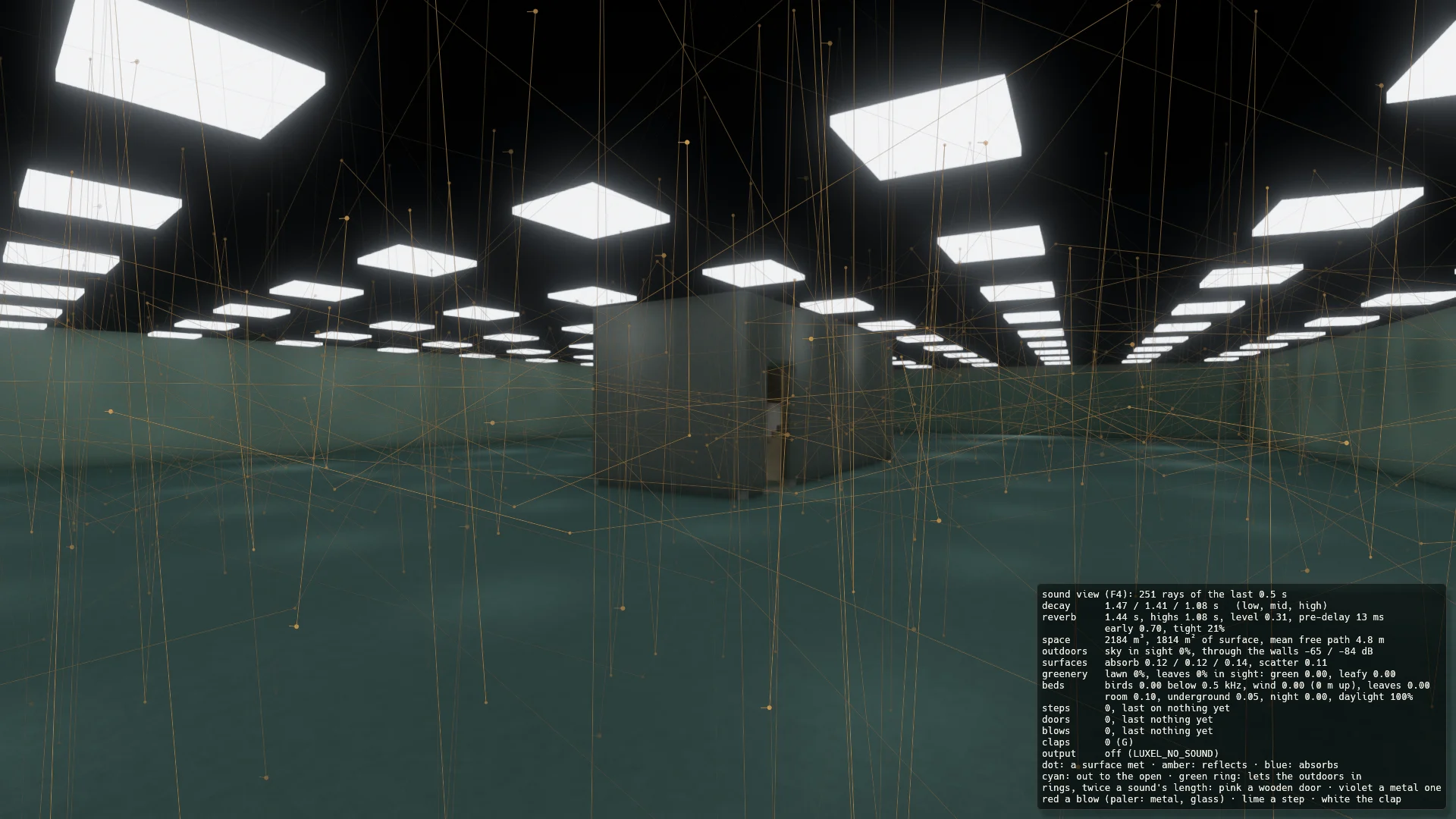
Sound in Luxel is traced through the same voxels you see. There are no hand-placed reverb zones: rays leave the listener, bounce through the space, and every surface they hit tells them what it is made of.
01
Rays through the real space
Around 500 rays a second leave the listener and bounce up to 16 times through the voxels around them, so the acoustics follow the world as it is right now: dig a tunnel, open a door or knock down a wall, and the sound changes with it.
02
Every bounce knows its material
Each material has acoustic properties: how much sound it absorbs and how much it scatters. Every hit records what was struck, so a tiled stairwell rings, a carpeted office goes dead, and an open field barely answers at all.
03
Reverb measured, not placed
From the rays come the room's size, its decay time across low, mid and high frequencies, its early reflections and pre-delay, all measured live. Rays that escape to the sky tell it how open a space is, and walls let a little sound through.
04
Moving things count too
Acoustic rays also ask the physics about moving bodies, so a door swinging shut closes its room to the sound, and hard impacts play by material, speed and mass.
// Vexel: a deterministic voxel object compiler
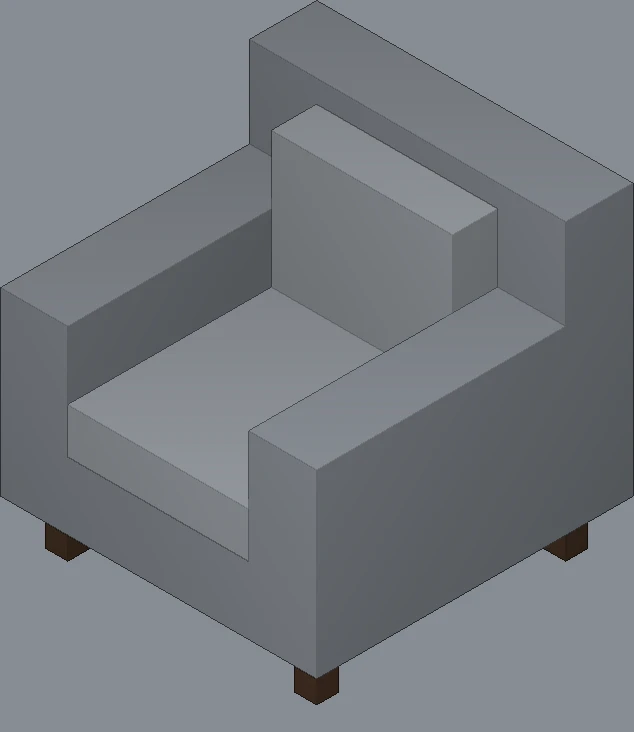
Props and furniture in Luxel can be written as short programs or modelled by hand. Vexel is our compiler for the written kind: a .vex file is a recipe of boxes, cylinders, repeats and lettering over named materials, and it compiles to exactly the same voxel model every time, on any machine.
1# Upholstered armchair (90 cm wide, 85 cm tall)
2# Category: furniture
3
4UNIT 6.25
5CANVAS w=14 h=14 d=14
6
7MATERIAL cloth FABRIC colour=#8a8f96
8MATERIAL cushion FABRIC colour=#9da2a8
9MATERIAL foot WOOD_HARD colour=#4a3526
10
11# Short feet under a base.
12CORNERS x0=1 z0=1 x1=12 z1=12 y0=0 y1=1 size=1 material=foot
13BOX x=0 y=2 z=0 w=14 h=3 d=14 material=cloth
14
15# Arms and back round three sides.
16BOX x=0 y=5 z=0 w=3 h=5 d=14 material=cloth
17BOX x=11 y=5 z=0 w=3 h=5 d=14 material=cloth
18BOX x=0 y=5 z=0 w=14 h=9 d=3 material=cloth
19
20# Seat cushion, 44 cm up, and a back cushion leaning on the back.
21BOX x=3 y=5 z=3 w=8 h=2 d=11 material=cushion
22BOX x=3 y=7 z=3 w=8 h=6 d=2 material=cushion
| Prop | Voxels | Recipe | Readable | .vox | + zstd |
|---|---|---|---|---|---|
| Street light | 618 | 197 B | 548 B | 3.6 KB | 776 B |
| Armchair | 1,576 | 270 B | 680 B | 7.4 KB | 1.1 KB |
| Large crate | 6,608 | 530 B | 1.2 KB | 27.5 KB | 3.9 KB |
| Mainframe | 13,610 | 902 B | 2.5 KB | 55.7 KB | 7.7 KB |
| Shipping container | 43,882 | 574 B | 1.6 KB | 176.6 KB | 30.2 KB |
- Recipe (compact)
- .vox + zstd -19
- .vox
01
The same model, every time
A recipe and a voxel size give the same model, byte for byte, on any machine: no randomness, no clock, no threads, and only arithmetic that comes out identical everywhere. So a thing in the world can be kept as the few hundred bytes of recipe it is made from, and every recipe is checked against a golden record so a compiler change can never quietly alter a model.
02
One instruction set, two formats
Every instruction has a readable long format and a compact short one, and the compiler reads either, or a mix. The long format is for people; the short format is about half the size. Converting either way compiles to the identical model.
03
Any voxel size
A recipe says what unit it is written in. Ones written at 10 cm compile at Luxel's 6.25 cm unchanged: edges land on the nearest voxel, thin parts stay even, and round shapes are redrawn on the finer grid rather than stretched. Vexel can also write MagicaVoxel .vox files.
04
Fast enough for runtime
A recipe compiles in about 10 µs on average. Our library of 186 recipes (furniture, lighting, doors, fences, street lights, computers) compiles in 2.1 ms in total, and is 132 KB of text for 955,000 voxels, with patterned finishes and voxel lettering included.
05
Smaller than the voxels
It is often cheaper on disk to keep the recipe and compile it on load than to store the baked voxels, and the gap grows with the size of the object. The armchair is 270 to 680 bytes as a recipe against 7.4 KB as a .vox file. A 6 m shipping container (43,882 voxels) is 0.6 to 1.6 KB as a recipe against 176 KB as .vox, and still 30 KB with that file squeezed by zstd -19.
06
Made for agentic coding
Recipes are plain, line-by-line text with a small set of instructions, so many current AI models can write good ones from a short description with little instruction and no extra training or fine-tuning. The compact format keeps prompts and answers small, and because compiling is deterministic and fast, an agent can render what it wrote and check its own work.
// Octahedral billboards
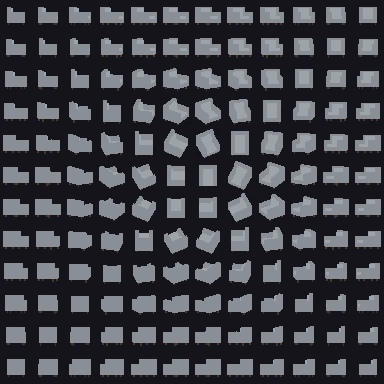
Billboards are, at this point, an ancient technique for saving performance on distant objects. In Luxel we push the idea further with octahedral billboards and our level of detail system, dithering between them for smooth transitions. Far away, a prop is a few dozen pixels on screen and its voxels are far more than it needs, so past the voxel window it becomes a single flat square turned to face you, showing the right view of the model baked from every direction.
01
Every view, one atlas
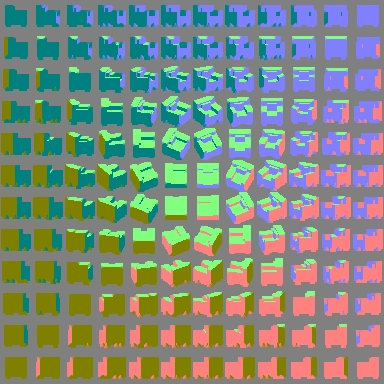
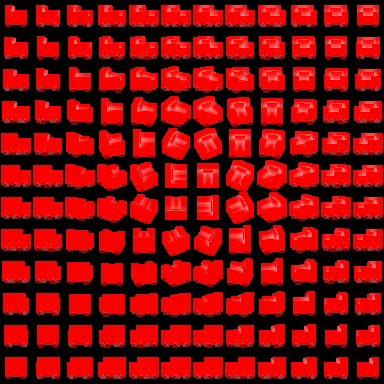
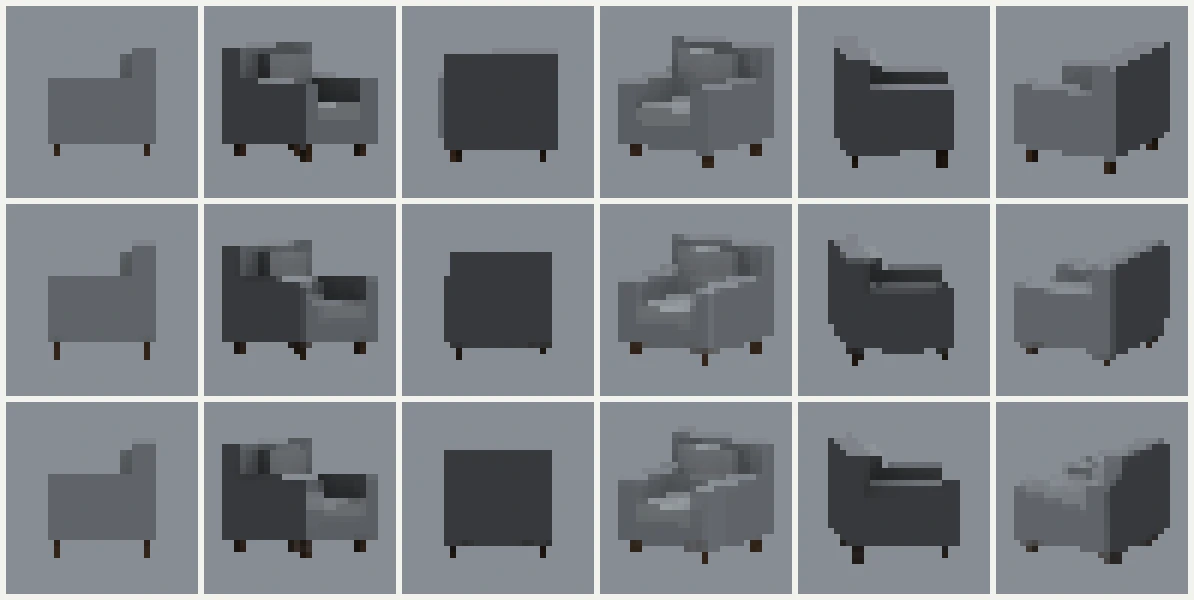
Each model is pre-rendered from 12 × 12 directions laid out on an octahedral grid, so neighbouring views sit next to each other and any angle blends smoothly from the nearest three. The views are gathered towards the horizon, which is where distant things are seen from.
02
Lit like everything else
Each view stores colour, surface direction and depth, plus roughness, metal, glow and baked ambient occlusion. The game lights billboards with the same sun and bounce light as the voxels, and depth gives them parallax, so they hold their shape as you move.
03
Measured, not guessed
Every billboard is checked against the model it replaces. Across our library of 138 props seen from the ground, about 5.6% of outline pixels differ at the default settings; for the armchair it is 4.6%, with colours within about 4 levels of 255.
04
Baked at load, never shipped
A billboard takes about 20 ms to bake on one thread, so nothing is stored on disk. The 3,948 benches, bins, bollards, hydrants and planters along the towns' pavements are voxels near you and billboards beyond: all seven kinds bake in 40 ms when the world loads.
// Inside a frame
A frame is a short run of GPU passes. The first draws the scene into a set of channels (the G-buffer), and everything after that reads from them. Pick a channel to see what one frame looks like underneath.
The passes, in order
- 01
Geometry
The nearby voxels are drawn into the G-buffer: colour, surface direction, depth, material and voxel identity.
- 02
Distant layer
Coarse voxel levels and the far terrain go into the same G-buffer, so near and far sort together.
- 03
Global illumination
Probe rays traced through the same voxels update four cascades of light probes.
- 04
Lighting
Sun and shadows, bounce light, ambient occlusion, reflections and each material's response.
- 05
Glass
Rays continue through panes into the rooms behind, tinted by the glass they pass.
- 06
Fog
Height fog, with sunlight scattering through it.
- 07
Grass and litter
Grass and leaf billboards, plus particles for paper scraps and fallen leaves, all moved by one wind field.
- 08
Upscale and finish
Temporal upscaling, bloom, distance blur, fog, tone mapping and dither.
Where a native 4K frame goes
GPU time per pass for one native 4K frame (no upscaling) of the smaller test world (75 physics bodies) on an RTX 5080, in milliseconds, measured in the app on an earlier build. The whole-frame figure is from the newer benchmark below (18 November 2026), so it is more than the passes add up to here.
// Performance
Our aim is more than 60 fps at reasonable settings and resolutions on as many setups as possible, ideally 90 fps or more for most people, and 120 fps at native 4K on higher-end cards (AMD 9070 XT, NVIDIA RTX 4070 Ti / 5070 and up).
Measured on our development machines in November 2026: GPU frame times with the default high-quality renderer and global illumination on. Every resolution is native, with no upscaling, unless a row says upscaled. Each figure is the median or mean of two or three runs of the same benchmark on the same build (18 November 2026). Our AMD card is a Radeon AI PRO R9700, the same chip as the 9070 XT, run capped at 210 W (300 W stock) with its clock lowered by 500 MHz, so a stock card should be somewhat faster. These are snapshots of work in progress, not minimum specs.
Performance is subject to change: many game systems and graphical effects are still to come, and each will cost something. Given where these figures are now, we're hopeful that even if we lose 20–40% along the way, Luxel will still run at acceptable frame rates overall.
Disk sizes compare our in-house voxel compression with zstd; the whole-world figure is an estimate, as unchanged countryside is normally regenerated rather than saved.
Start town at 1080p, by GPU
- NVIDIA
- AMD
- Intel
- Apple
- Estimate
| Scene | NVIDIA RTX 50805080 | AMD 9070 XT (210 W)9070 XT | Apple M6M6 |
|---|---|---|---|
| Smaller test world, 75 physics bodiesTest world | 3.5 ms · 290 fps | 4.3 ms · 235 fps | 13.6 ms · 73 fps |
| Meadow | 5.0 ms · 200 fps | 6.0 ms · 165 fps | 17.1 ms · 58 fps |
| Start town | 5.6 ms · 180 fps | 7.2 ms · 140 fps | 20.6 ms · 49 fps |
| Start town, upscaled from 67%Town from 67% | 4.9 ms · 205 fps | 6.3 ms · 160 fps | 17.5 ms · 57 fps |
| Start town, upscaled from 50%Town from 50% | 4.6 ms · 215 fps | 5.3 ms · 185 fps | 14.8 ms · 67 fps |
| Scene | NVIDIA RTX 50805080 | AMD 9070 XT (210 W)9070 XT | Apple M6M6 |
|---|---|---|---|
| Smaller test world, 75 physics bodiesTest world | 1.7 ms · 600 fps | 2.0 ms · 510 fps | 5.3 ms · 190 fps |
| Meadow | 2.5 ms · 400 fps | 3.1 ms · 320 fps | 6.9 ms · 145 fps |
| Start town | 3.5 ms · 290 fps | 4.3 ms · 230 fps | 9.9 ms · 100 fps |
| Hardware | 1080p | Native 4K | 4K, upscaled from 50%4K from 50% |
|---|---|---|---|
| NVIDIA DGX Spark (GB10)DGX Spark (GB10) | 5.4 ms · 185 fps | 10.3 ms · 97 fps | 7.6 ms · 130 fps |
| Apple M5 Pro (MacBook Pro)M5 Pro | 7.7 ms · 130 fps | 15.4 ms · 65 fps | 11.7 ms · 86 fps |
| Apple M2 Max (MacBook Pro)M2 Max | 14.3 ms · 70 fps | 25.3 ms · 40 fps | 18.3 ms · 55 fps |
| NVIDIA RTX A1000 8 GB (50 W)A1000 (50 W) | 16.6 ms · 60 fps | 33.3 ms · 30 fps | 24.6 ms · 41 fps |
| Measure | Size |
|---|---|
| 128 m voxel window, start townVoxels, start town | ~240 MiB (~12× smaller than uncompressed)~240 MiB |
| The game at native 4K, start townGame at 4K, start town | ~3.5 GB VRAM |
| The game at native 4K, tower districtGame at 4K, tower district | ~4.5 GB VRAM (was ~6.1 GB)~4.5 GB VRAM |
| Target for the default view | 8 GB graphics card |
| Data | UncompressedRaw | zstd -3 | In-house |
|---|---|---|---|
| 16 m region, start town16 m, start town | ~7.1 MiB | 9.4 KiB | 4.4 KiB |
| 16 m region, tower district16 m, tower district | ~17.9 MiB | 28.0 KiB | 7.6 KiB |
| All 31 settlements | ~160 GB | ~320 MB | ~150 MB |
| Whole 10 km world, all saved (est.)Whole world (est.) | ~1.6 TB | ~6 GB | ~3 GB |
On a phone the tables show frames per second only.
// Where it's at
- Luxel is a working vertical slice, not a released engine.
- It isn't a game yet: the world, the smaller test world and the tools are test content.
- Networking is scaffolding so far, and modding isn't implemented.
- Luxel isn't planned to be open source, and there is no public download, but we are potentially open to licensing it.
Some of the models and textures you see here are placeholders. For development and testing we currently use some .vox models from the Teardown modding community's Workshop, like the cars and fences in some of these screenshots. They are not built for our 6.25 cm voxels, so they don't quite match our games' look.
We use them to get a feel for how the game will look until our own content is far enough along to fill those roles. This is common practice in game development, usually with free or licensed asset packs, and is rarely seen by the public. We use these .vox files because they are close to our style, and there is only a small pool of premade assets in a similar style and format to pick from.
All credit goes to the original creators. We will not ship any product with these assets unless we have sought and been given permission or a licence.